Skip to content
Snapora

Screenshots & screen recording for Chrome

Screenshots & recordings worth sharing.

Snapora captures any web page, puts it on a backdrop in a clean window frame, and records polished videos — all inside your browser.

  • No account
  • No time limit
  • Nothing you capture leaves your device
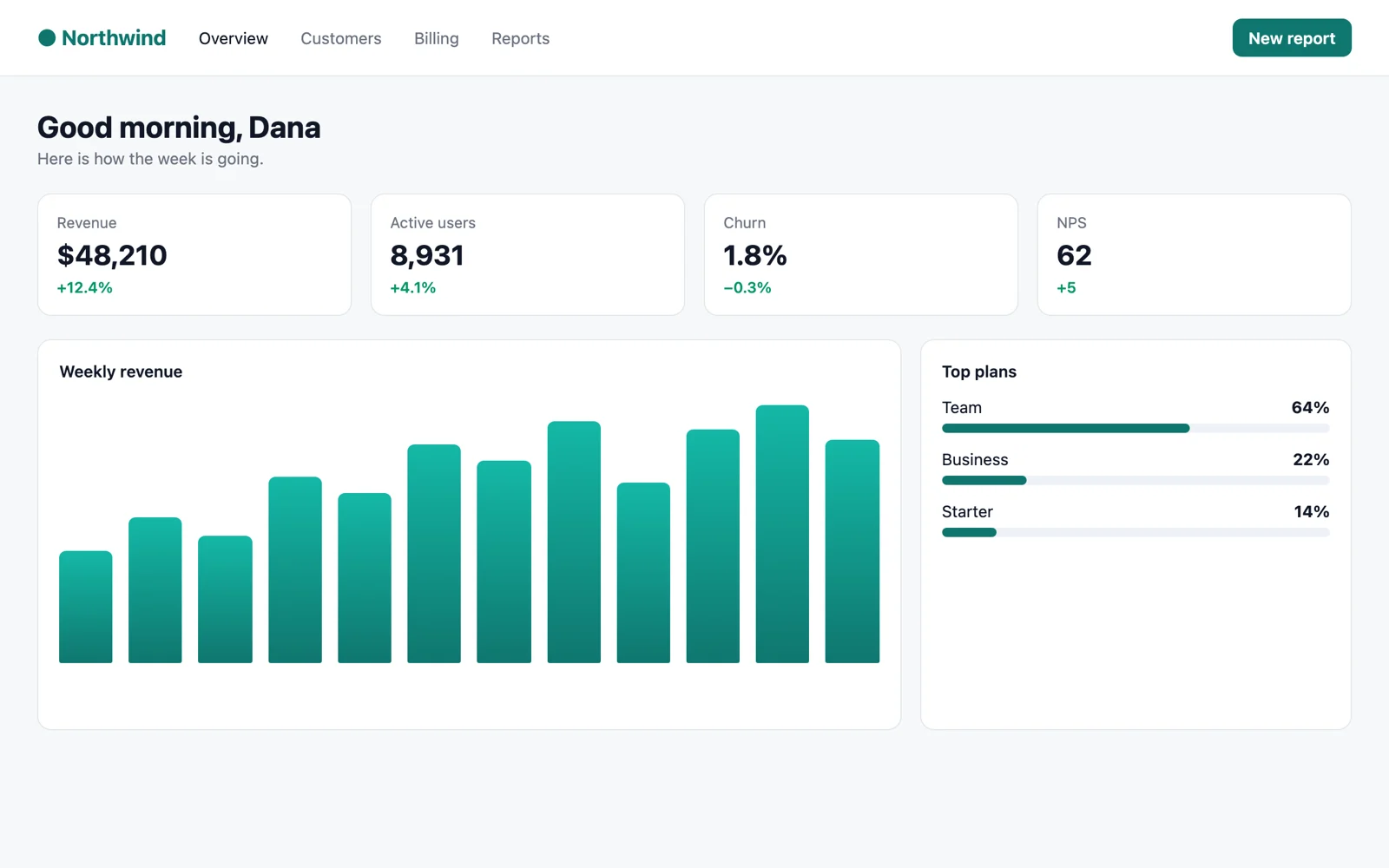
A sample analytics dashboard, captured by Snapora
One click: backdrop, frame and shadow.

Try it

Pick a look. Watch it change.

A small copy of Snapora’s editor, running right here. In the extension there are many more backdrops, frames and sizes — plus arrows, text, blur and your own watermark.

The sample dashboard, framed with the options you picked
Backdrop
Frame
Size

The small mark in the corner is what Free exports carry. Pro removes it.

What you can make

Three jobs, done properly.

Screenshot → beautiful

Capture, then it opens already framed.

  • Visible area, a region, one element, the full page — or several pages at once.
  • Backdrops, window frames, shadows and ready-made templates.
  • Arrows, text, shapes and numbered steps. Copy or export PNG, JPG or WebP.
Record → polished video

Record, trim, and it’s ready to send.

  • Record a tab, a window, your screen or one area — with your voice and camera.
  • Zooms added where you clicked, on a timeline you can split and trim.
  • Export MP4, WebM or GIF. Free exports video up to 1080p.

Text → copy and redact

Read the text in a picture, hide what’s private.

  • Copy text out of any screenshot, on your device, with Chrome’s built-in model (Chrome 138+ on Windows, macOS or Linux).
  • Blur or pixelate names, emails and numbers before you share.
  • Redaction is permanent: the original pixels are not in the exported file.
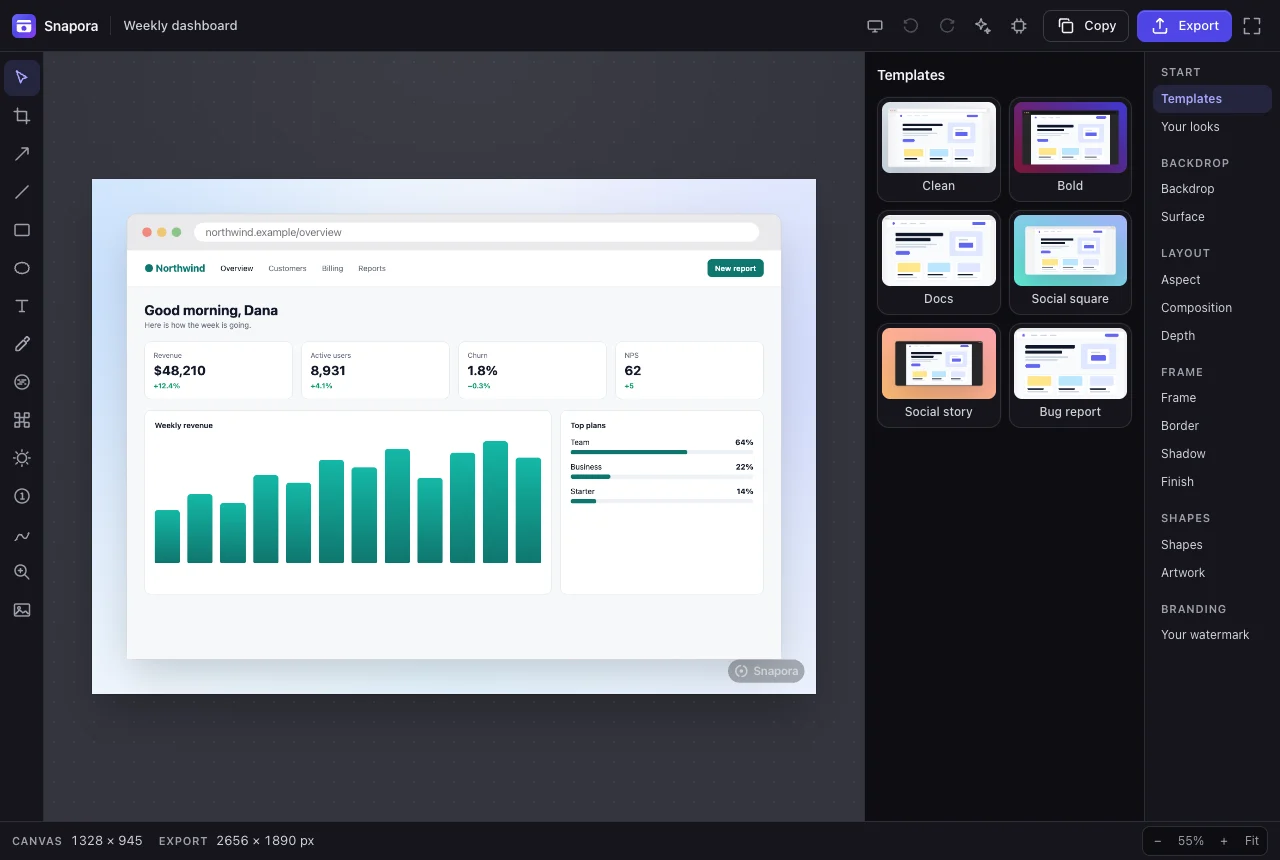
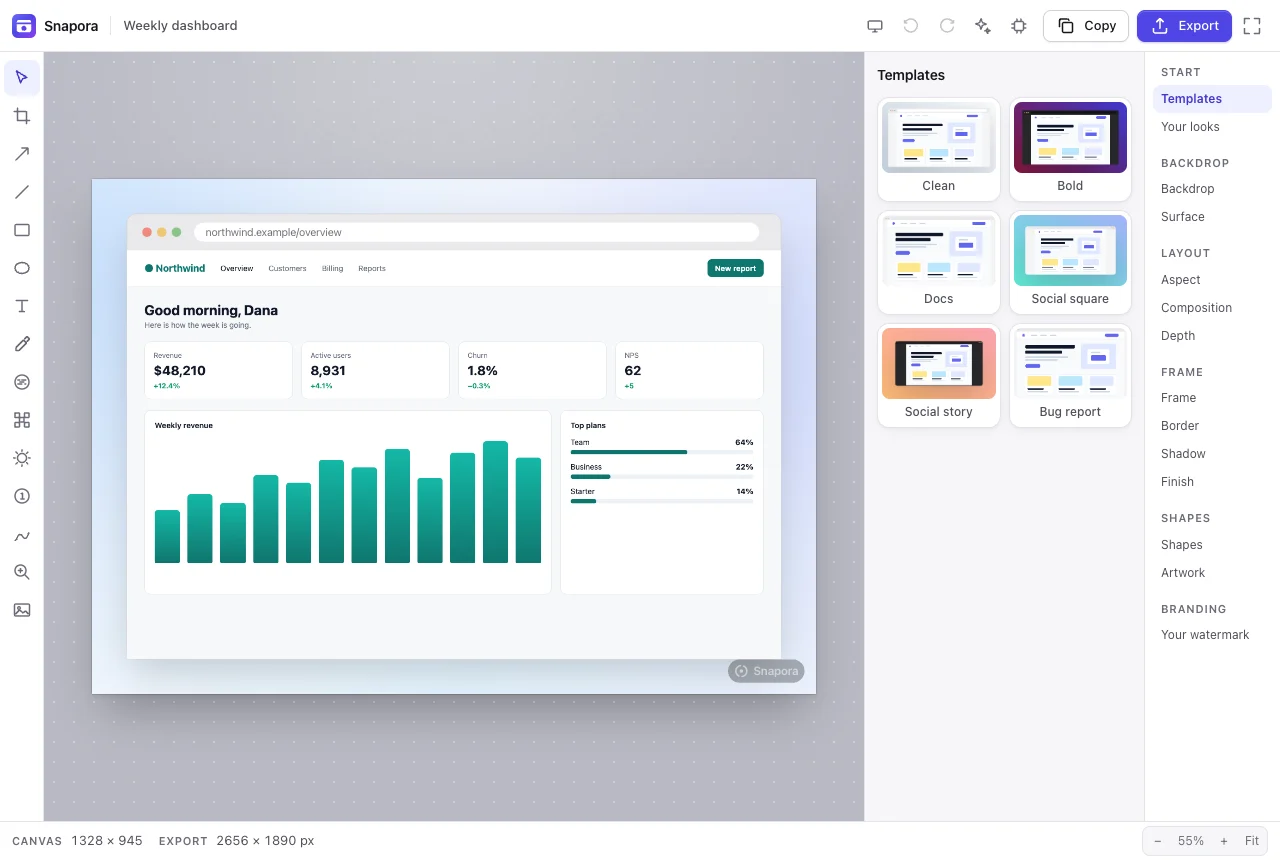
Snapora’s editor with a framed dashboard screenshot, a toolbar on the left and templates on the right Snapora’s editor in the dark theme with a framed dashboard screenshot
The real editor, version 1.0.0 — light and dark follow your system.

Privacy you can check

Don’t trust us. Open DevTools.

Snapora works without a server. You can watch it happen in its own DevTools.

  1. Open chrome://extensions, turn on Developer mode, and click service worker under Snapora. Pick the Network tab.
  2. Take a screenshot. When the editor opens, press F12 there too and pick Network.
  3. Edit and export. The only lines are Snapora’s own files, loaded from your disk. On Free, nothing goes to the internet.
0 KB added to pages you browse No content scripts. A tab is touched only when you capture it.
9 permissions Each one named for the feature that needs it, plus site access for multi-page capture.
1.4 MB of code About 4 MB to download, with all 50 languages.

What leaves your browser

  • Your screenshots, recordings and projects Never Made and stored in your browser. There is no Snapora server.
  • A licence check Pro only After you activate a key, Snapora checks it with Freemius (api.freemius.com). Free sends nothing.
  • Cloud sync Coming soon Off in this version. When it arrives, it will be optional.

Compare

How Snapora compares.

Facts only, taken from each product’s own website. Every row can be checked.

Feature Snapora Loom CleanShot X Awesome Screenshot Screencastify
Runs in Chrome Yes Yes No — a Mac app (macOS 13+) Yes Yes
Account needed to start No account, ever Yes No Not listed Yes
Free plan Everything; exports carry a small mark, video up to 1080p 25 videos, 5 minutes each No free plan listed Not listed 10 videos, 30 minutes each
Backdrops and window frames for screenshots Yes Not listed Not listed Not listed Not listed
Text recognition (OCR) Yes, on your device (Chrome 138+ desktop) Not listed Yes Not listed Not listed
Where your recordings go Stay in your browser Loom’s cloud library Your Mac; upload is optional Local disk, or shared to other apps Not listed
Lowest paid price $3 a month, or $39 once $18 per user a month $35 once Not listed $7 per user a month, yearly

Checked on 2 October 2026 on each product’s own website. “Not listed” means we could not find it there, not that it is missing. Prices and plans change — check before you buy.

Pricing

Free is the whole product.

Pro removes the mark and unlocks video above 1080p.

Free

Snapora

The whole product. Not a trial of one.

$0 forever

No account, no trial. Up to 2 hours per recording

  • Every capture mode, and screen recording
  • The whole editor, every frame and backdrop
  • On-device text recognition (Chrome 138+ desktop)
  • Unlimited PNG, JPG, WebP, MP4, GIF and WebM exports
  • Video export up to 1080p
  • A small Snapora mark on exports
Add to Chrome
Pro

Monthly

Pro for as long as you need it.

$9 was the regular price

$3 per month

Launch price · 67% off

Billed monthly · cancel any time

  • Everything in Free
  • No Snapora mark on exports
  • Video export above 1080p
  • Every future Pro feature, at no extra cost
  • Cloud sync Coming soon
Choose Monthly
Pro

Lifetime

Pay once. Pro for good.

$79 was the regular price

$39 once

Launch price · 51% off

One-time payment

  • Everything in Free
  • No Snapora mark on exports
  • Video export above 1080p
  • Every future Pro feature, at no extra cost
  • Cloud sync Coming soon
Choose Lifetime
  • Not what you expected?Email waafaaofficial@gmail.com for a refund to your original payment method.
  • Secure checkoutPayments are handled by Freemius, our reseller. Cancel any time.
  • No account to createPaste the licence key from your email. That’s it.

50 languages

Speaks your language.

Every screen in Snapora is translated into 50 languages, right-to-left included.

  • English
  • Español
  • Deutsch
  • Français
  • Português
  • العربية
  • हिन्दी
  • বাংলা
  • 日本語
  • 简体中文
  • 한국어
  • Русский
  • Türkçe
  • עברית
  • ไทย
  • Tiếng Việt
  • Bahasa Indonesia
  • Kiswahili
  • தமிழ்
  • + 31 more

FAQ

Questions, answered plainly.

Is Snapora free?

Yes. Free has every capture mode, screen recording, the whole editor, every frame and backdrop, and text recognition, with no account and no trial; each recording can run up to 2 hours. Free exports carry a small Snapora mark and video exports up to 1080p. Pro removes the mark and unlocks video above 1080p.

Does anything I capture get uploaded?

No. Captures, recordings and projects are made and stored in your browser. The only thing Snapora sends anywhere is a Pro licence check to Freemius, and only after you activate a key.

Why does Chrome say Snapora can read and change data on all websites?

Capturing several pages at once means opening pages you have not clicked on, which Chrome only allows with site access. Snapora adds nothing to the pages you browse; it touches a tab only when you start a capture or recording.

Do I need an account?

No. Free needs nothing. If you buy Pro, you paste the licence key from your purchase email; there is still no Snapora account.

What does the launch price mean?

For now, Pro is $3 a month (normally $9), $15 a year (normally $29) or $39 once for life (normally $79).

Can I get a refund?

Yes. If Pro is not what you expected, email waafaaofficial@gmail.com and the refund goes back to your original payment method.

Is there cloud sync?

Not yet. Cloud sync is coming soon, and it will be optional. This version keeps everything on your device.

Make your next screenshot the good one.

Free, private, and on the Chrome Web Store.