 CommentAura
Keep the discussion on the design itself, please — comparison spam gets removed.

Like Reply 2h12 August 2026
WordPress plugin · Free and GPL
Threading, voting, reactions, subscriptions and editing — all of it stored in
your own wp_comments table. Turn CommentAura off and every comment,
reply and permalink still works.
… which is why the comment table is the only part of a discussion plugin that really matters.
Keep the discussion on the design itself, please — comparison spam gets removed.
Like Reply 2h12 August 2026
The part nobody checks before installing: where does this actually put my comments?
Like Reply 1h13 August 2026
wp_comments, same as core. That is the entire answer.
 Love
Reply
5m14 August 2026
Love
Reply
5m14 August 2026
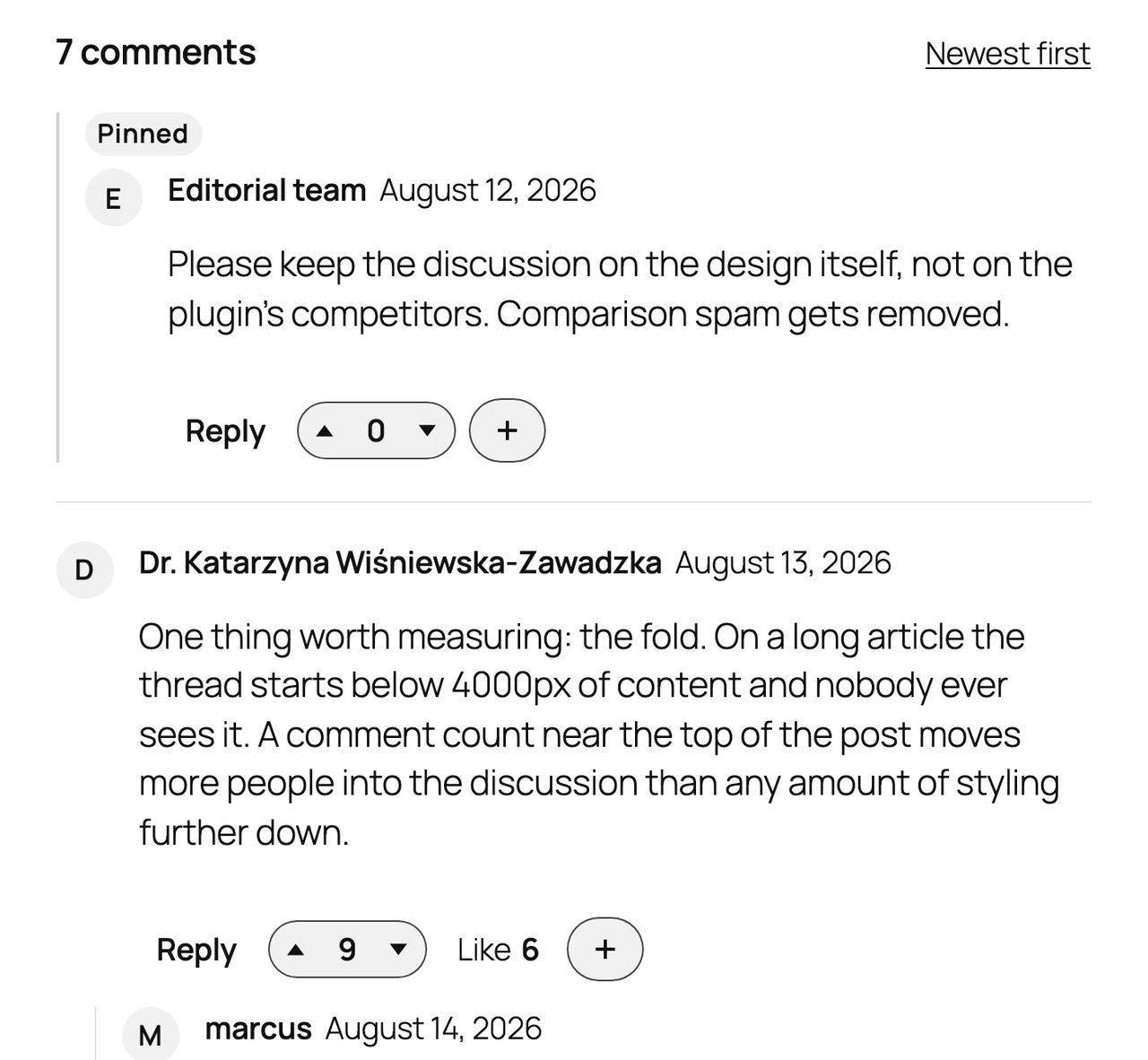
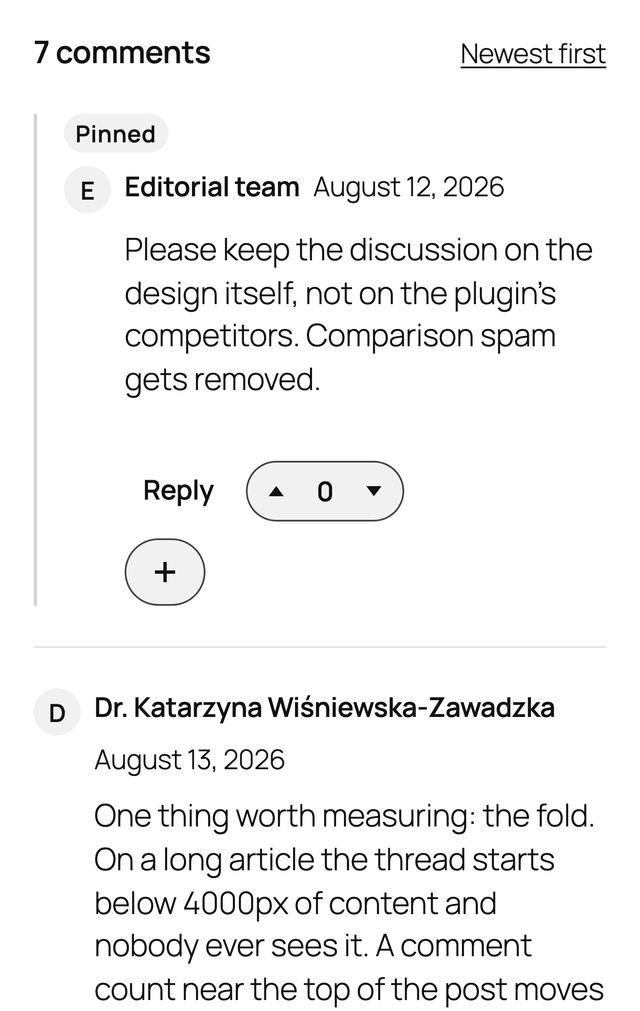
Every control you see is CommentAura's. The bubbles, faces and short dates went — they are the plugin's own. Three comments, three authors, one reply nested under its parent. Not one of them moved.
Zero lock‑in
A hosted comment service puts somebody else's machine between your readers and your discussion. CommentAura does not have a machine. Every comment is selected from your own database and returned inside your own page.
Everything lives in wp_comments and wp_commentmeta, where
WordPress already puts it. No iframe, no external account for your visitors.
Uninstalling removes CommentAura's own tables and never touches a comment.
The thread is rendered on the server, inside your page's HTML. Reading, posting, editing, voting and reacting are all plain form submissions — which is also why search engines index the discussion and screen readers can read it.
No trackers, no CDN, no analytics beacon, no sponsored content in your discussions. The plugin makes zero outbound HTTP requests, and guest identities are stored as a one‑way salted hash rather than a raw IP address.
Performance
Comment plugins have a reputation for being the heaviest thing on a page. These are the four numbers that reputation is built on, and what CommentAura does about each.
The usual failure is one query per comment to find its children, which turns a popular post into a slow one. CommentAura reads a whole nesting level at a time, so the query count is decided by thread depth and never by thread size.
A page with no discussion on it gets no stylesheet, no script and no inline payload from CommentAura. The decision is made early enough in the request to keep the asset off the page entirely, rather than shipping it and hiding it.
Reading a thread sets no cookies and needs no per‑visitor state, so a post with comments caches exactly like a post without them. Posting goes through WordPress's own comment handler, which is never served from a cache.
Screens
Real screens from a real install, not mock-ups — and not a state the plugin cannot actually reach.
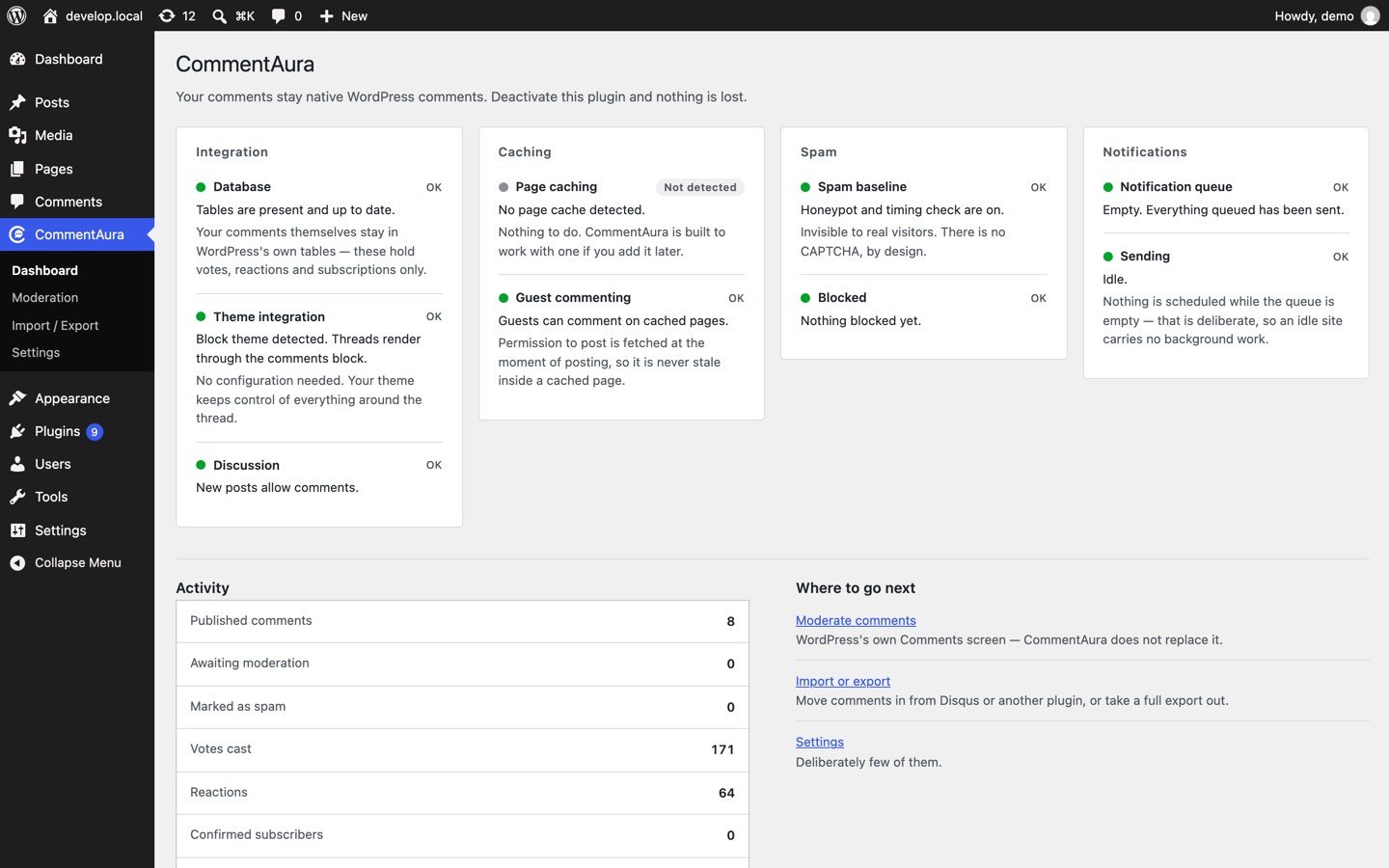
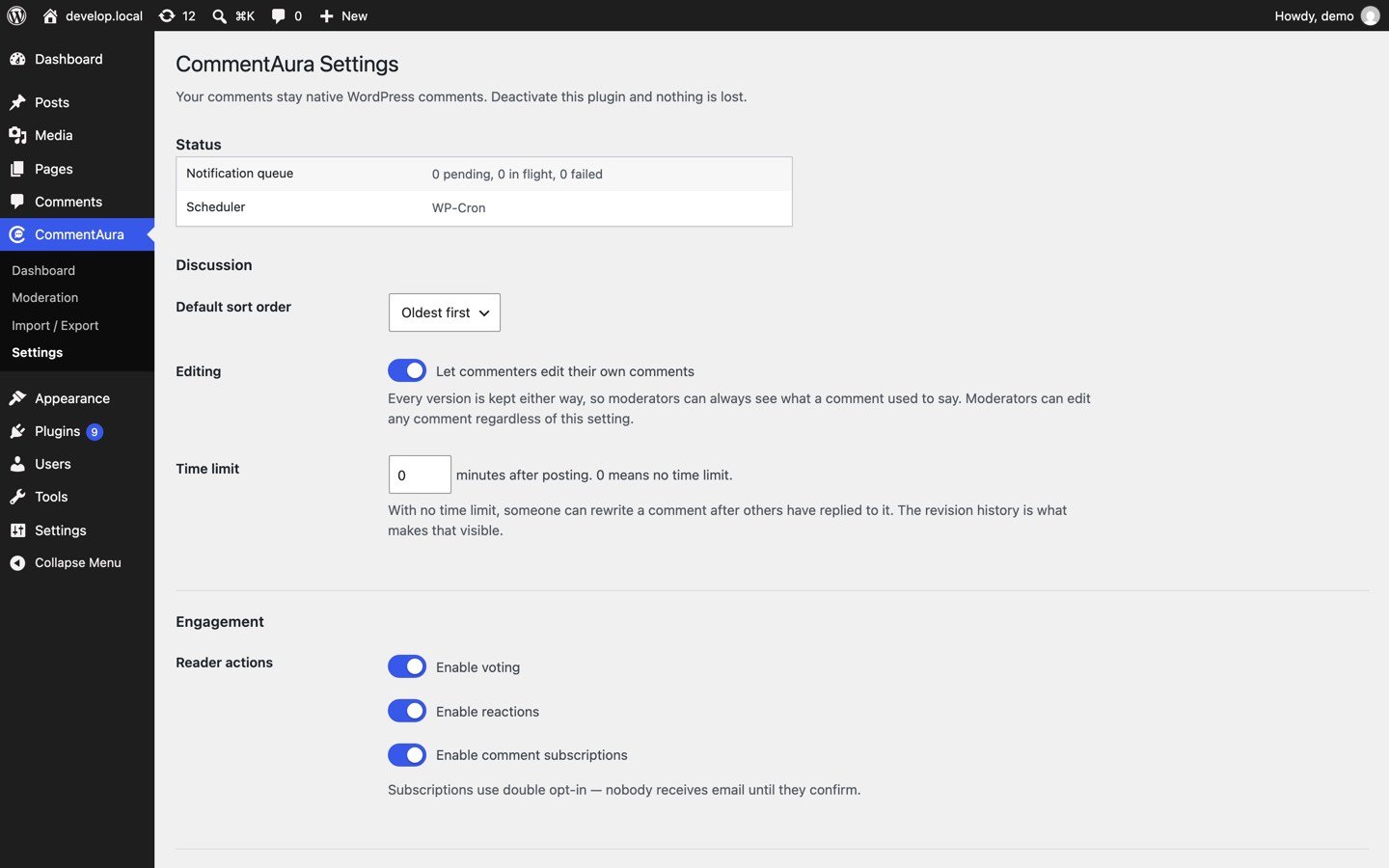
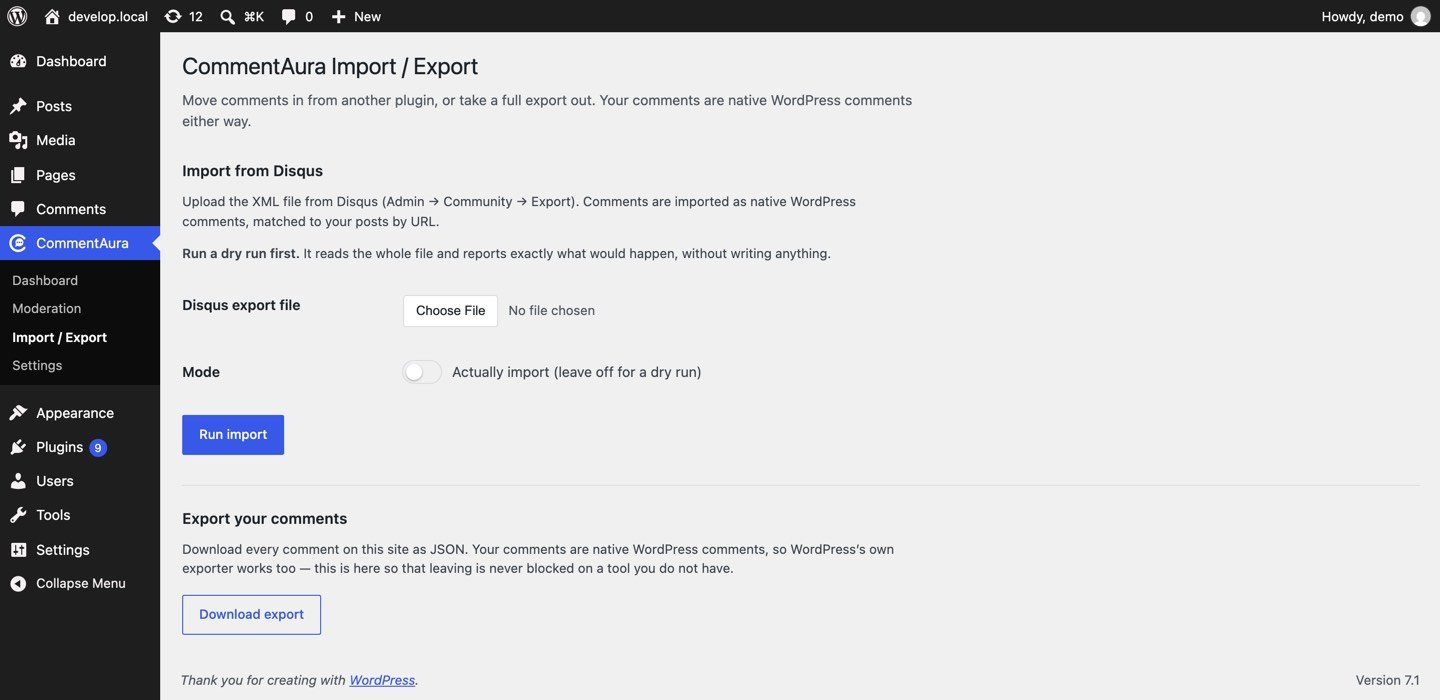
The three admin screens are too wide to read on a phone. They are on the WordPress.org listing at full size.
Features
Every one of these is in the free plugin today. None of them is a preview, a trial, or a greyed-out row waiting for a licence key.
Classic and block themes, with byte-identical output through either path.
Proper double opt-in — nobody is emailed until they confirm — with one-click unsubscribe on every notification.
Duplicate prevention enforced by a database constraint, not by hopeful bookkeeping.
Rest on Like, long-press on a phone, or press Enter, and a bar of 3D faces opens. Choose which faces, their order, names and icons in Settings.
For as long as you allow. Every earlier version is kept in your database, and an edit goes through the same spam checks as a new comment.
Lift a comment above the paged flow, or close a discussion per post.
An invisible honeypot and a timing check. CAPTCHAs tax every honest reader to inconvenience a bot that solves them for a fraction of a cent. Works alongside Akismet.
Core matches floods on IP or email, so two strangers behind one office network block each other. CommentAura keys on identity and address together.
Permission to post is fetched at the moment of posting, so it is never stale inside a fully cached page.
Registered with WordPress's own personal-data exporter and eraser, so the built-in request flow just works.
Routes under commentaura/v1, with a permission callback on every
one of them.
Copy any partial into your theme. Callbacks are named throughout, so hooks can actually be removed.
PSR-4, PHP 8.1+, strict types, PHPStan level 8. The plugin is GPLv2 or later, and the whole of it is on WordPress.org where you can read it before you install it.
Moving in and out
A plugin that is hard to leave is not earning your loyalty, it is holding it. Every tool below is in the free version, and will stay there.
Point it at your Disqus export. Threads are matched to your posts by URL — including your old domain, since leaving Disqus usually follows a domain change — and a discussion that cannot be matched is skipped rather than attached to the wrong post. Re-running the same file imports nothing twice.
wpDiscuz, Jetpack Comments and Subscribe to Comments Reloaded already store
comments in wp_comments, so there is nothing to migrate. CommentAura
brings across the part that would otherwise be lost: subscriber lists and votes.
Nothing is deleted from the other plugin.
Download every comment on the site as JSON, streamed in batches so the size of your site does not decide whether the export finishes. WordPress's own exporter works too — this exists so that leaving is never blocked on a tool you do not have.
Dry run first, always. Every import previews exactly what it would do before anything is written, and that is the default rather than an option you have to find.
One thing Disqus will not give you. Exports produced since 2019 contain no email addresses and no IP addresses for guest commenters. CommentAura keeps the display name, imports with an empty address, and tells you how many were affected — rather than letting you find out from a support ticket.
Roadmap
CommentAura is built by one person with no investor clock running, so the plan is sequenced rather than dated. Each stage ships when the one before it has evidence behind it — and a stage is delayed rather than shipped soft.
Threading, sorting, permalinks and pagination. Guest commenting that survives page caching. Editing that keeps every earlier version. Votes, reactions, pinned comments and per-post closing. Subscriptions with double opt-in. The Disqus importer, the plugin migrations and the full export. Spam baseline, GDPR, REST API and hooks. All of it works with JavaScript switched off, and since 1.0 voting, replies, edits and “load more” also happen without a page reload. Hooks let add-ons extend it or replace any part of it.
A separate paid add-on, sold on waafaa.com: a keyboard-first moderation queue with bulk actions and undo; a pre-moderation rules engine; AI triage and toxicity scoring on your key, with almost any AI company; a delegated moderator role, front-end moderation and reader reports; reaction extras; engagement analytics; post-comment conversion actions and @mentions; and hardened media uploads.
The proof, published as it arrives: the 20 most-used themes and a matrix of caching setups on real hosts, an independent security audit and a benchmark page. Polish driven by support tickets, because a ticket is research that arrived for free.
Email digests, once there is real deliverability data from subscriptions to build them on. Commenter badges, once engagement data says they would be used rather than merely displayed. An agency programme. Social login only if account friction turns out to be what stops people commenting — and only a few providers, hardened. Digests and badges would join Pro, because they serve the site owner; social login would be free, because it serves the commenter.
Metered AI for people who would rather not hold an API key. Optional hosted conveniences, such as managed email sending and agency dashboards, that never cripple the plugin when you decline them. Live-updating threads, which are deliberately not in the product today. Inline comments anchored to a paragraph. WooCommerce reviews and Q&A.
Free and Pro
The free plugin is complete, not a demo. Pro is a separate add-on that runs on top of it and adds the tools for whoever has to keep a busy comment section healthy. Pro includes everything in Free.
| Feature | Free Available now | Pro From $29 a year |
|---|---|---|
| The discussion | ||
| Threaded comments, sorting, permalinks and pagination | Included | Included |
| Guest commenting that works with page caching | Included | Included |
| Comment editing, with an edit history | Included | Included |
| Voting and reactions | Included | Included |
| 3D reaction faces: choose, reorder, rename and swap iconsHover, long-press or keyboard; votes optional | Included | Included |
| Pinned comments and per-post closing | Included | Included |
| Reply notifications and subscriptionsDouble opt-in, one-click unsubscribe | Included | Included |
| Classic and block themes | Included | Included |
| Works with JavaScript switched off | Included | Included |
| Moving in and out | ||
| Disqus importer | Included | Included |
| wpDiscuz, Jetpack and Subscribe to Comments Reloaded migration | Included | Included |
| Full JSON export | Included | Included |
| Trust and privacy | ||
| Spam baseline and fair rate limitingHoneypot and timing check, no CAPTCHA | Included | Included |
| GDPR export, erasure and clean uninstall | Included | Included |
| Sends nothing to a third partyPro checks its licence, and calls your own AI provider only if you turn AI on | Included | Licence + your AI |
| For developers | ||
| REST API, hooks and overridable templates | Included | Included |
| Moderation · Pro | ||
| Keyboard-first moderation queue, with bulk actions and undoFree keeps WordPress’s own Comments screen | Core screen | Included |
| Pre-moderation rules engine | Not included | Included |
| AI triage and toxicity scoringOn your own API key, never ours | Not included | Included |
| Moderator role, front-end moderation and reader flags | Not included | Included |
| Reactions · Pro | ||
| Upload your own reaction iconsPNG or WebP, re-encoded on upload | Not included | Included |
| Different reactions per post type or per post | Not included | Included |
| Reaction reports: most-used reactions and top reacted comments | Not included | Included |
| Audience · Pro | ||
| Engagement analytics | Not included | Included |
| Post-comment conversion actions and @mentions | Not included | Included |
| Hardened media uploads | Not included | Included |
| Support | ||
| Help when something breaks | Public forum | Priority |
Pro includes everything in Free. Nothing here marked as free will move into Pro. See Pro pricing.
One bundle with every Pro feature, priced by the number of sites and never by feature. Pay monthly, yearly, or once. Choose a plan.
Whatever Pro turns out to be, it will not be built by taking these away. They are the reason to trust the free plugin, and charging for any one of them would turn CommentAura into the thing it was written to replace.
Questions
No — this is the entire point of the plugin. Comments live in WordPress's own tables the whole time. Deactivate CommentAura and your theme's normal comment display returns, with every comment, reply and link intact.
Yes. The thread is rendered into the page itself and sets no cookies, so a post with comments caches exactly like a post without them.
Posting goes through WordPress's own comment handler as a normal form submission, which is never served from a cache — so commenting works on a fully cached page without the plugin having to punch a hole in it.
Yes. CommentAura integrates with both the classic
comments_template() path and the block editor's
core/comments block, and produces identical output through either.
No. Reading, posting, editing, voting and reacting all work with JavaScript disabled, because all of them are plain form submissions.
No, and that is deliberate. A CAPTCHA taxes every honest reader in order to inconvenience a bot that can solve it for a fraction of a cent. There is an invisible honeypot and a timing check instead, which cost your readers nothing.
In CommentAura's own tables, because they do not fit WordPress's comment schema. The comments themselves are never copied, shadowed or moved — which is why the votes go quiet if you deactivate the plugin while the discussion does not.
No. There are no third-party requests of any kind — no analytics, no CDN, no phone-home. Guest identities are stored as a one-way salted hash rather than a raw IP address.
Only CommentAura's own tables and options, and only if you tick the box that says so. Your comments are WordPress's, not the plugin's, and are never touched.
Pro costs $29 a year for one site, $59 for five sites and $149 for unlimited sites. You can also pay monthly ($9, $29 or $59) or once for life ($99, $199 or $399). It is one bundle with every Pro feature, priced by site count and never by feature. It renews at the same price, and if you stop renewing it keeps working; only updates and support stop.
Every plan and price is on the pricing page.
Nothing listed on this page as free is going to become part of it. That list is in Free vs Pro, in writing, ahead of the product it constrains.
No to both, and no coupons either. The free plugin is the trial: it is the whole discussion layer, with no time limit. Buy Pro when you need the moderation and audience tools, and not before.
Yes. Pro is an add-on installed alongside the free plugin, which stays installed and keeps doing its job. Your comments stay in WordPress's own tables either way, so removing Pro never removes a comment.
WordPress 6.5 or newer and PHP 8.1 or newer. It works on single sites and on multisite, with classic themes and with block themes, and it is licensed GPLv2 or later.

There is nothing to import, connect, or sign up for. Your existing comments are already where CommentAura reads them from.
Documentation
One guide covers the free plugin and Pro, screen by screen, in plain words.
Install, every setting, importing from Disqus and other plugins, moderation, AI triage, privacy and what happens when you uninstall.
REST routes live under commentaura/v1, hooks and filters under
commentaura_, and every thread template can be copied into your theme.
The guide lists them.
Please do not post a vulnerability in the public forum. Email it privately, with steps to reproduce and the version you tested, and it will be fixed before it is discussed in public.
Changelog
Newest first. Every release of the free plugin is listed here, with the same notes WordPress shows under Plugins → View details → Changelog. What is planned but not built yet lives in the roadmap, not here.
Nothing finished yet. Changes are listed here as they are done; what is planned is in the roadmap.
A new, familiar look with 3D reactions. Comments now work without page reloads, and two bugs that made comments look lost are fixed.
commentaura_island_scripts (load an add-on’s own script the same lazy way) and commentaura_collapse_after.commentaura_reaction_icon and commentaura_reaction_set_for_post, and the commentaura_reaction_settings_rendered action for adding fields to the Reactions settings.Opens CommentAura to add-ons, and fixes one way a vote could count twice.
commentaura_loaded action. Add-ons receive the objects that own CommentAura’s callbacks, so they can replace one with remove_action().commentaura_vote_cast, commentaura_reaction_set, commentaura_subscription_confirmed and commentaura_subscription_removed. None of them passes who acted.commentaura_comment_action_types adds links to every comment’s action row, and commentaura_thread_args sets page size, sort order and whether held comments are shown.commentaura_enqueue_job action.The first public release, on WordPress.org. Everything below is new.
commentaura/v1, hooks, and templates you can override in your theme.Later the same day the directory listing gained screenshots, an icon and banners. That was a listing update only; no plugin code changed.
Every past version stays downloadable from the Development tab on WordPress.org.
Support
Theme and cache combinations are where a comment plugin actually breaks, and the only way to cover them is for somebody to hit one and say so. A report with the theme name and the caching plugin in it is worth more than a dozen stars.
 31
31