

Next.js 15 · React 19 · Tailwind CSS v4
A complete auction website. Backend included.
Auctionyx is a production-grade auction platform with three sites in one: a public saleroom with live proxy bidding, a bidder account area and a full admin dashboard. The backend that runs it is built in: PostgreSQL, automatic closing, invoices with card payments, e-mail and image uploads. Try it on demo data in two commands, then connect a database and take real bids.
- Runs with zero setup
- TypeScript strict
- Light & dark
- PostgreSQL backend
 Live
00:48
Live
00:48
Lot C01 · Classic & Vintage Motor Car Auction
1961 Aston Martin DB4 Coupé
Current bid
$304,000
You’re leading
Your maximum $330,000 — private, bids for you
- You auto$304,000
- Bidder B60A6$299,000
- Bidder A80A5$249,600
Anti-snipe Late bid — clock reset to 2:00
You’ve been outbid Lot C01 is now $335,000
-
 Motor cars
-
 Watches
-
 Fine wine
-
 Art
Art
-
 Estates
-
 Memorabilia
-
 Watches
-
 Motor cars
-
 Watches
Read this first
Who Auctionyx is for
Auctionyx is a complete auction website with its backend. It is built for auction houses and dealers who want their own online saleroom, and for the developers and agencies who build one for a client.
What you get
- Every page, form and dashboard screen, finished and responsive
- A complete backend on PostgreSQL: accounts, bidding, automatic closing, winners and invoices
- Stripe card payments, e-mail (SMTP or Resend) and image uploads
- Realistic demo data, and one command that clears it before you launch
What you provide
- A PostgreSQL database. A free managed one (Neon, Supabase) is enough to start.
- An e-mail provider and, for card payments, your own Stripe account.
- A Node.js 20+ host: Vercel, a VPS or Docker. Not for PHP or cPanel-only hosting.
- Someone comfortable running a few terminal commands to install it. The guide walks through every step.
One template, three sites
Everything an auction house needs on screen
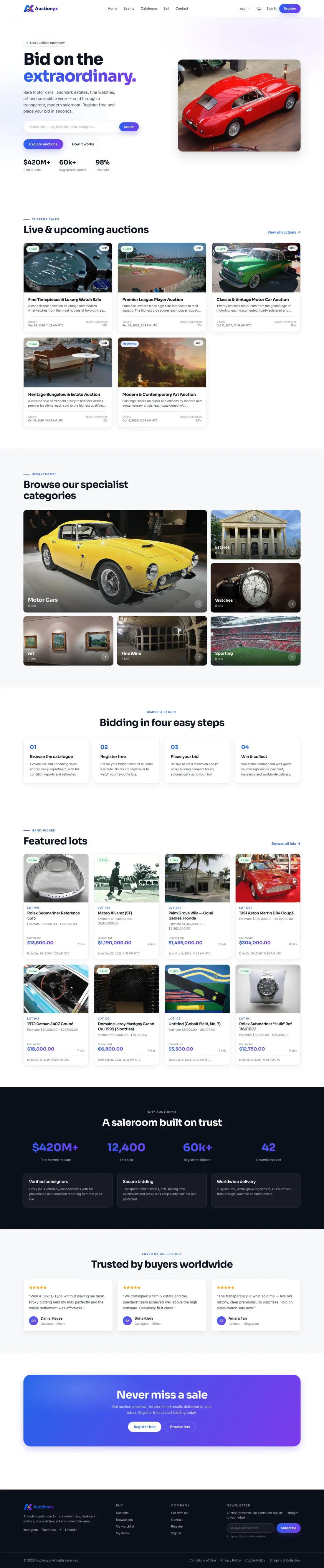
Bidders browse and bid. Members manage their bids and invoices. Staff run the whole saleroom. All three are built, connected and styled as one product.
A saleroom that sells
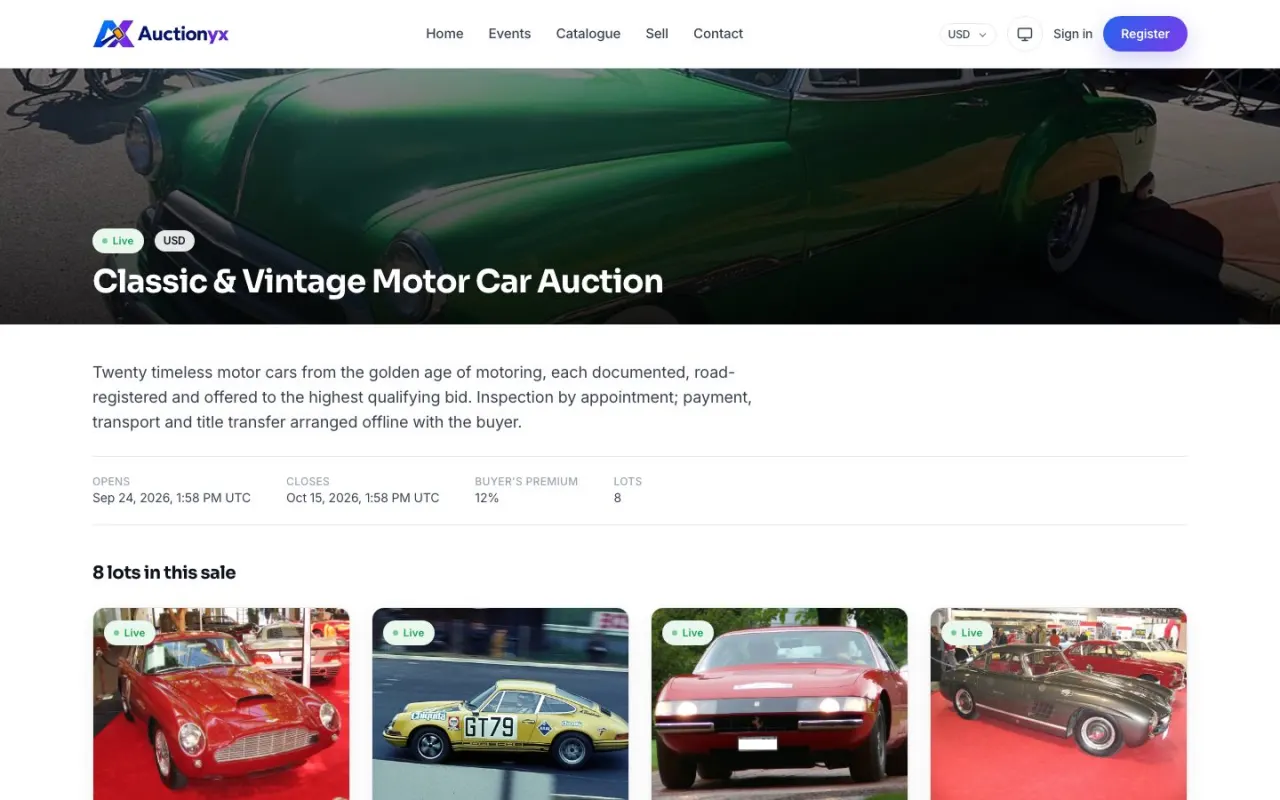
The homepage, events, catalogue and lot pages visitors land on and bid from.
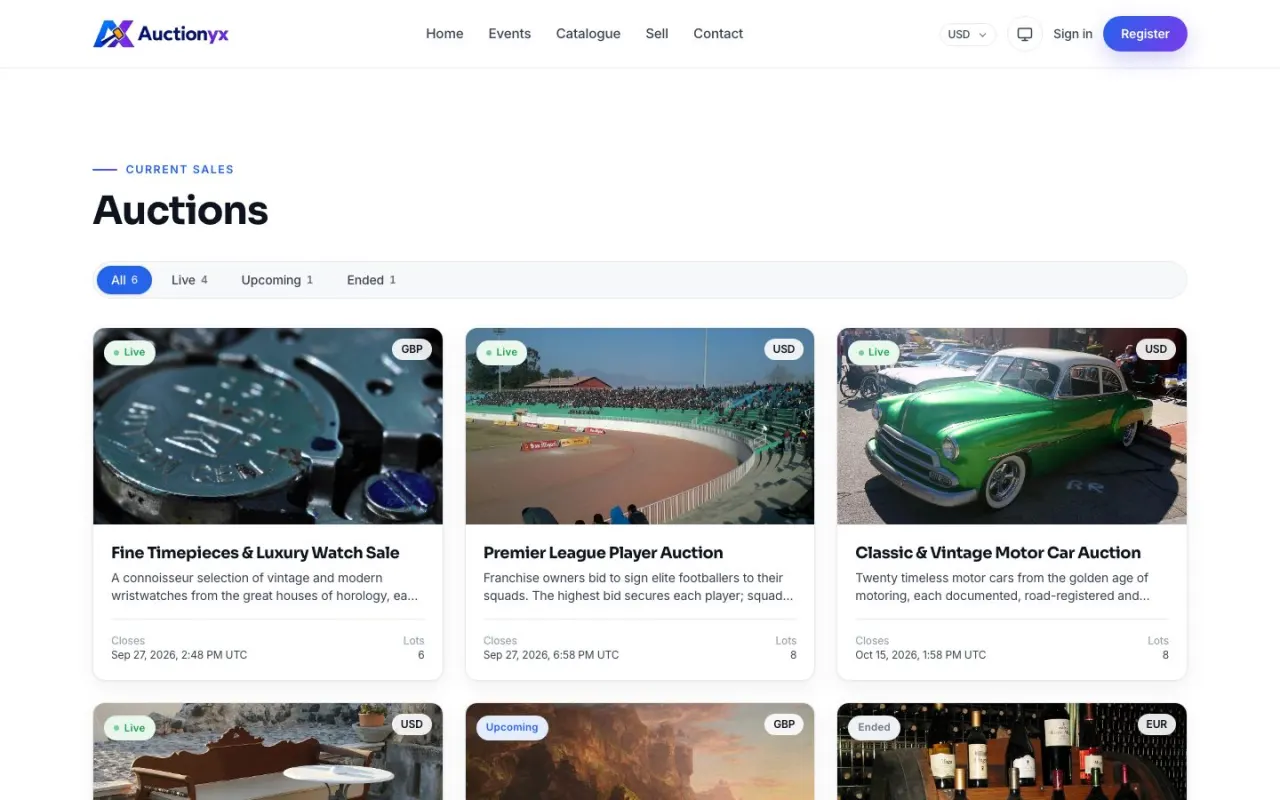
- Homepage with search, live and upcoming sales, departments and featured lots
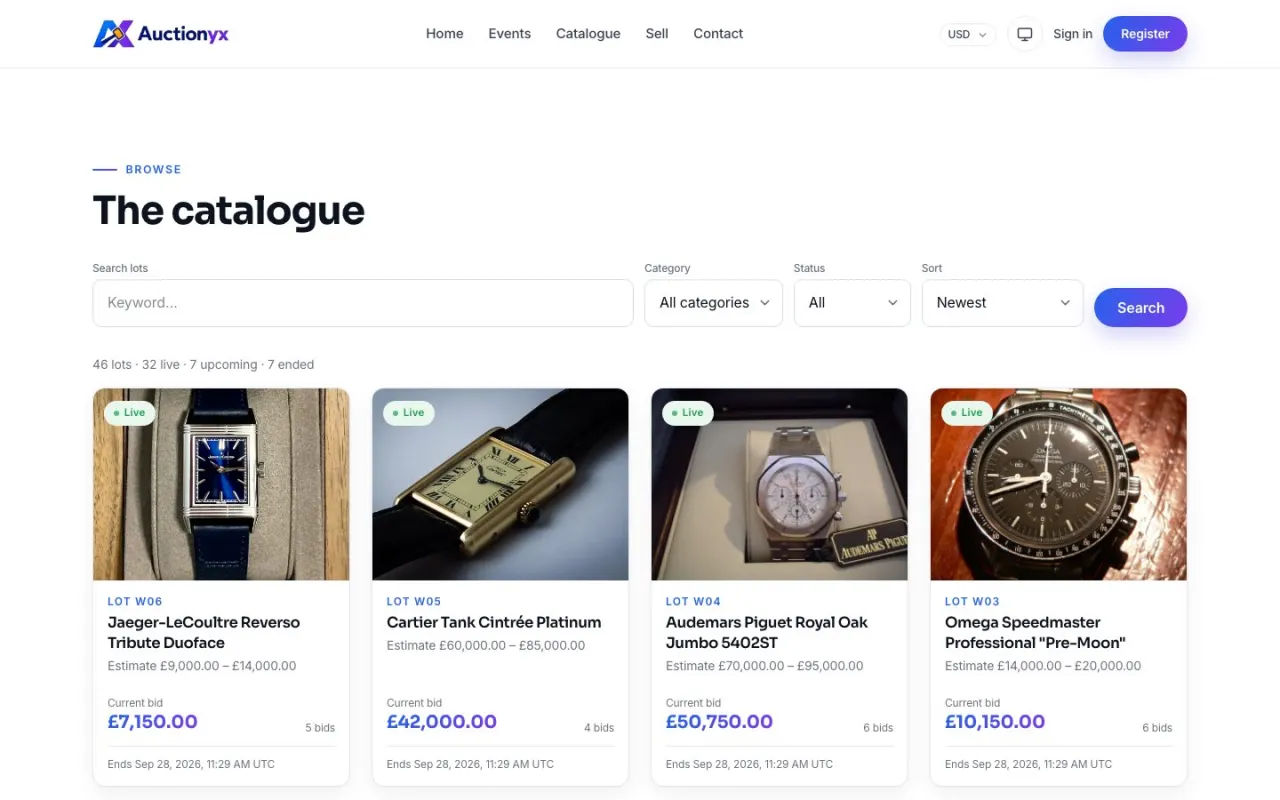
- Catalogue with search, category and status filters, sorting and pagination
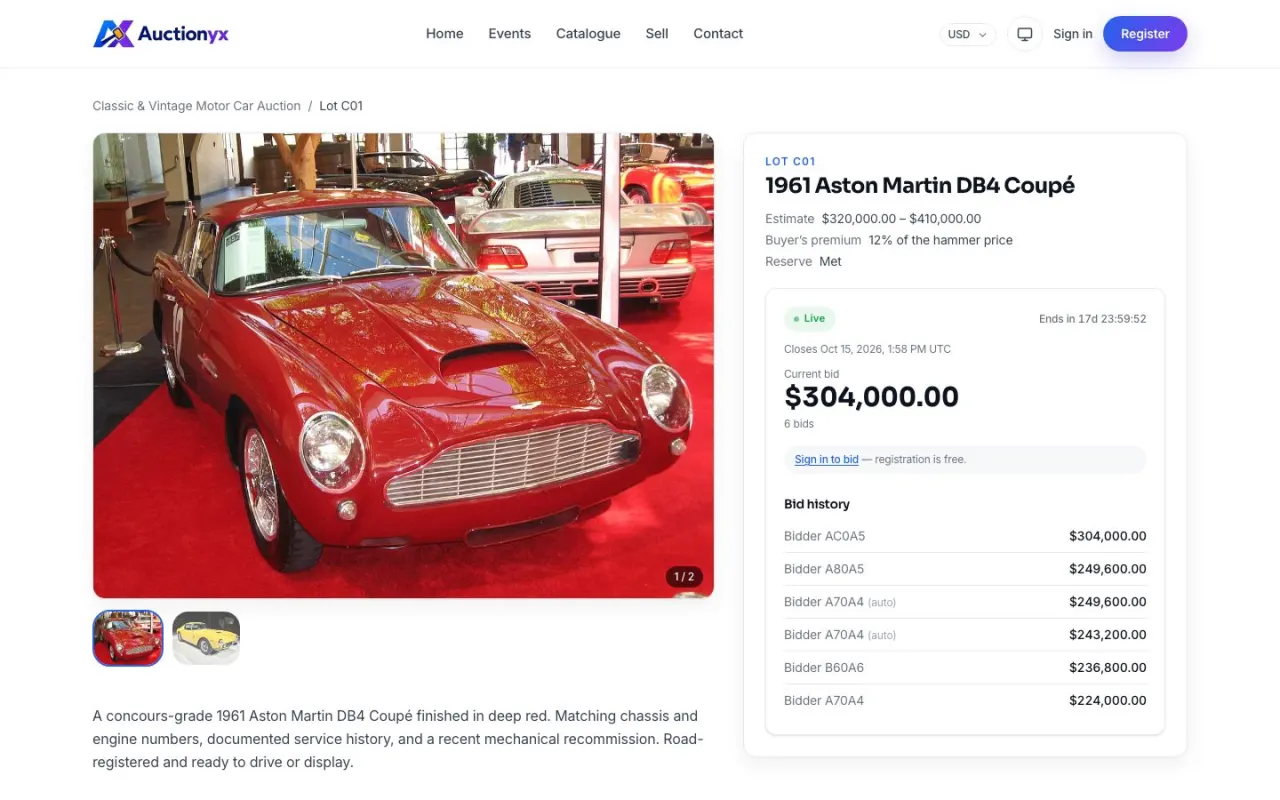
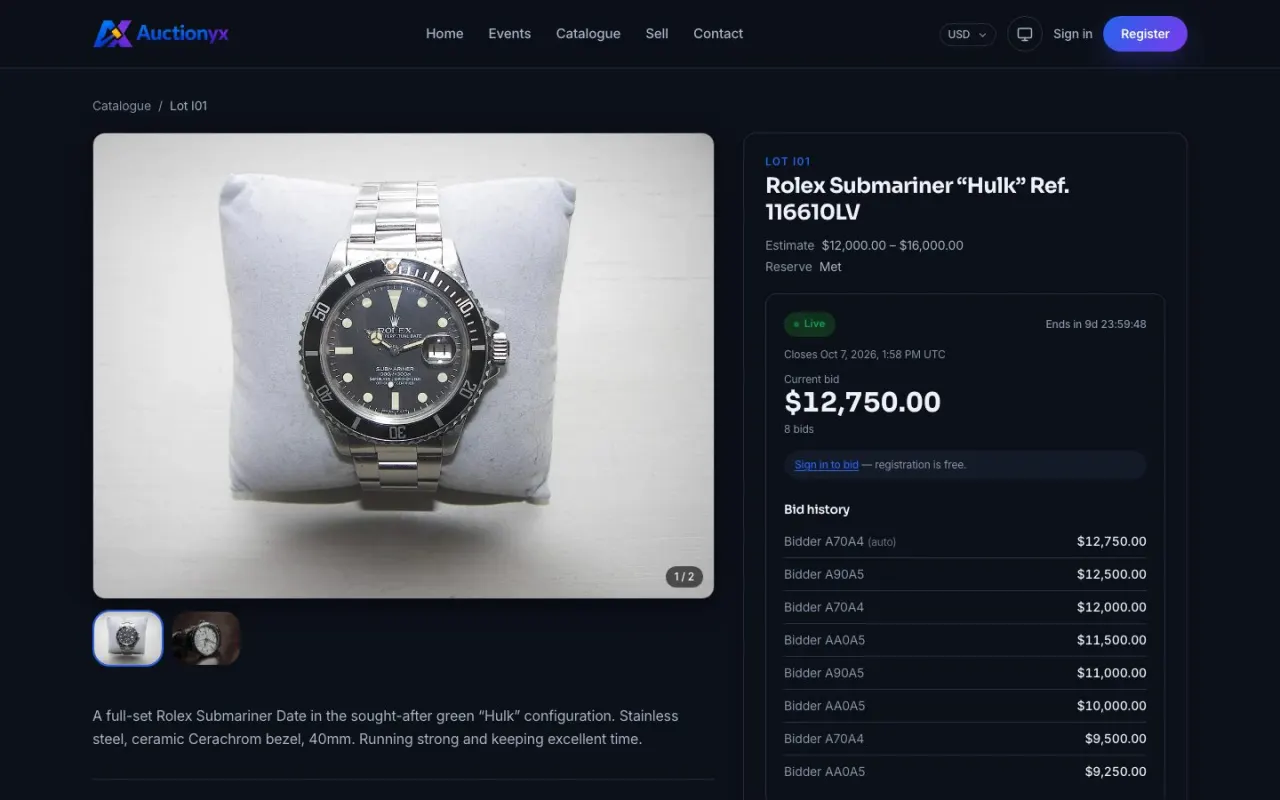
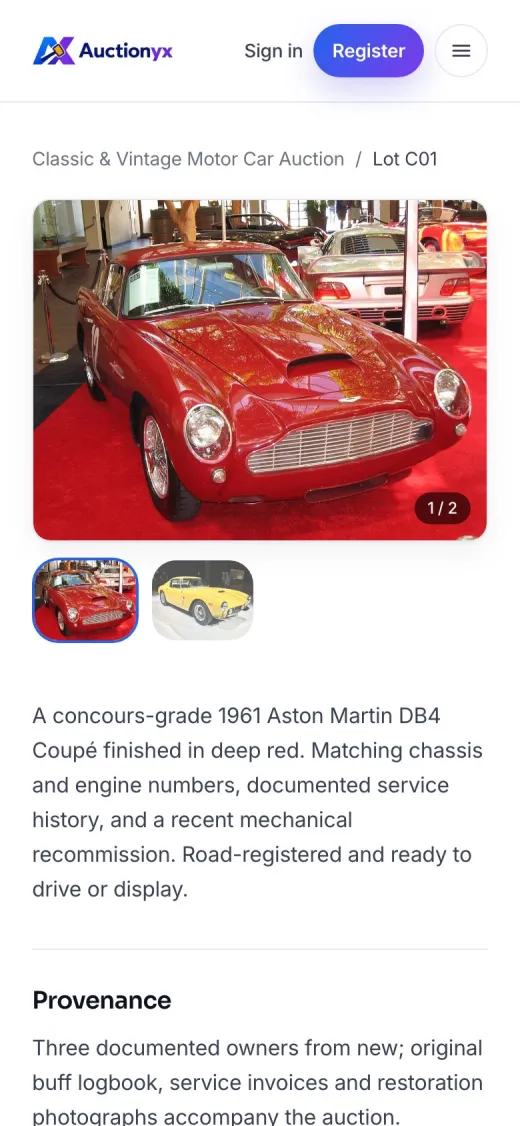
- Lot pages with gallery, estimate, provenance, condition report and bid history
- Approximate price in the visitor’s own currency
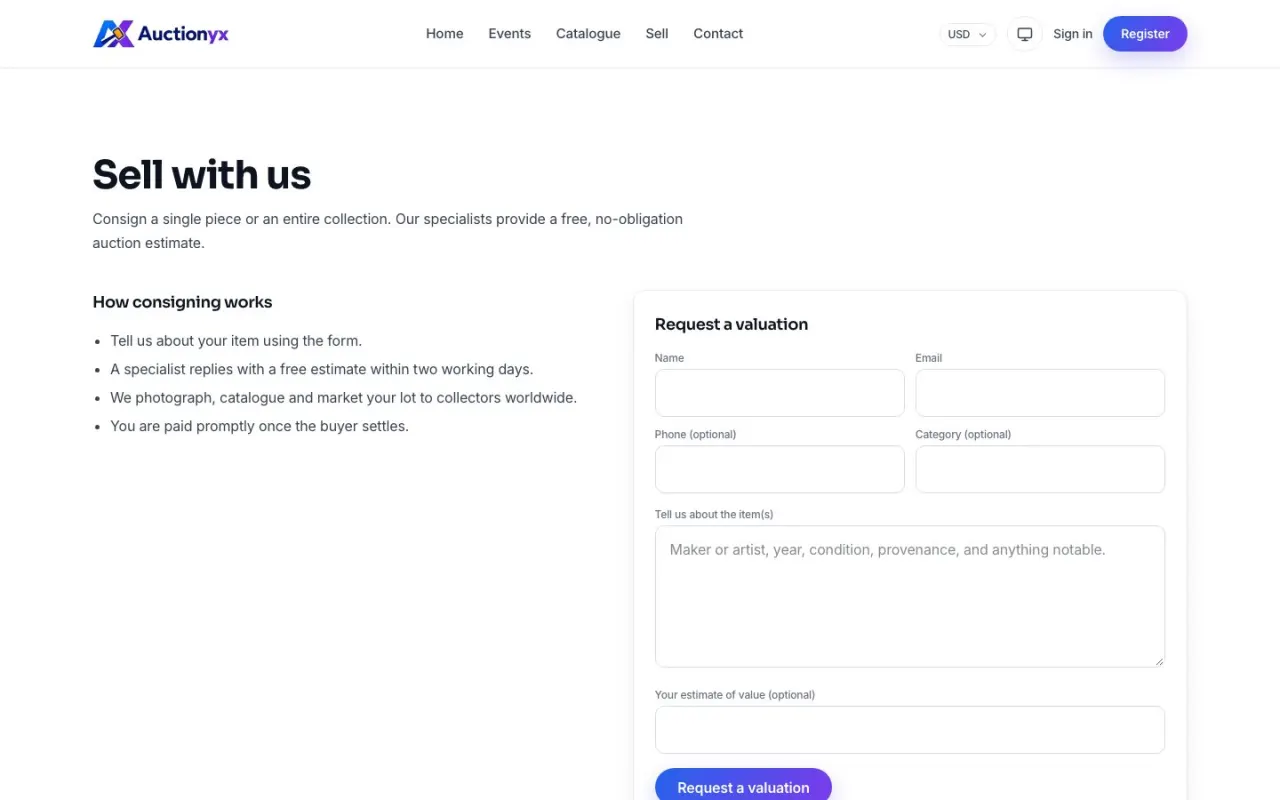
- Lot enquiries, “Sell with us” consignments, contact and legal pages
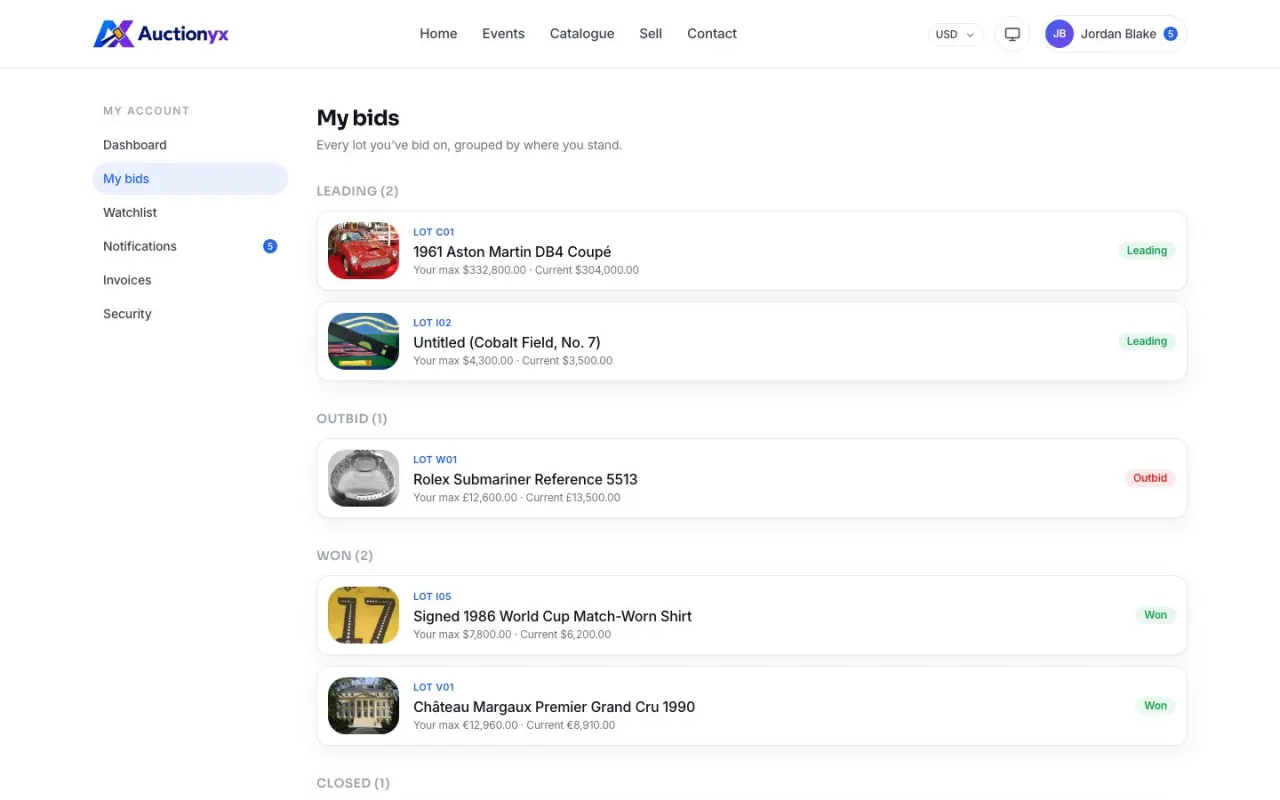
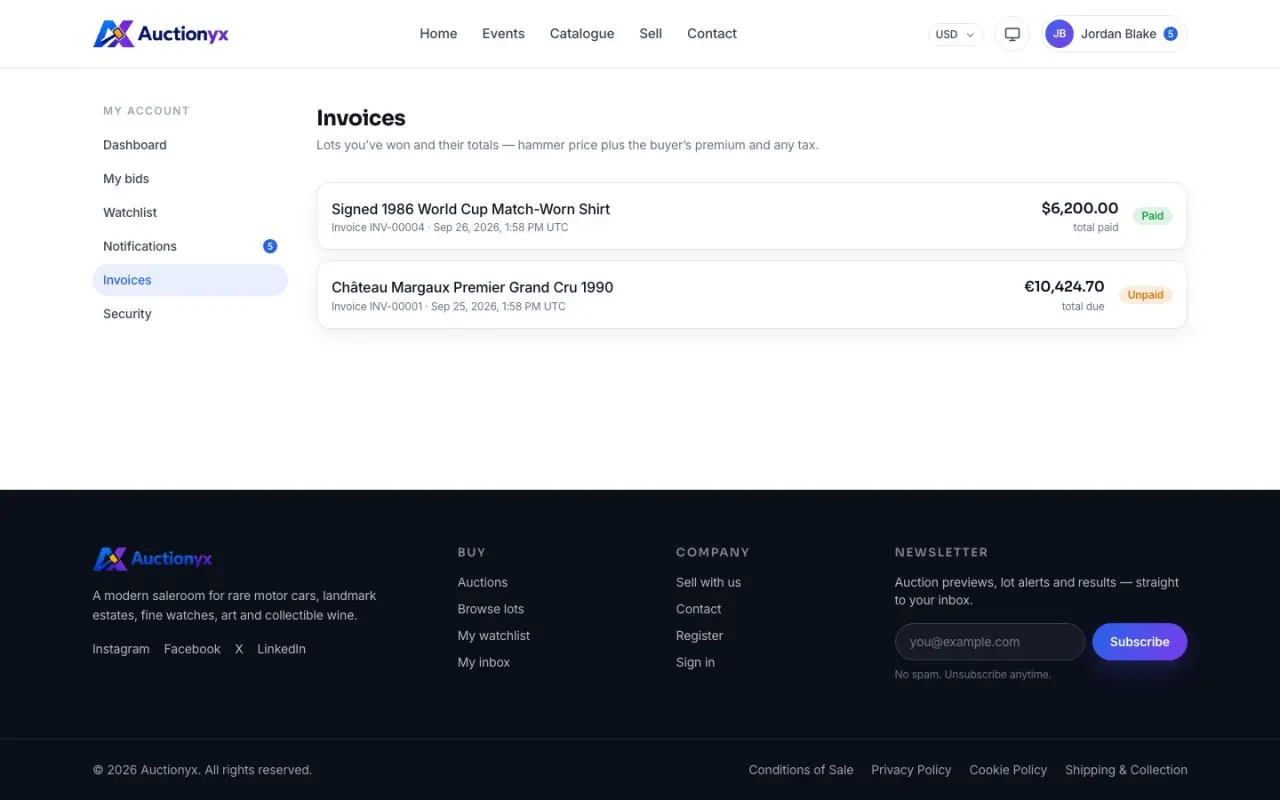
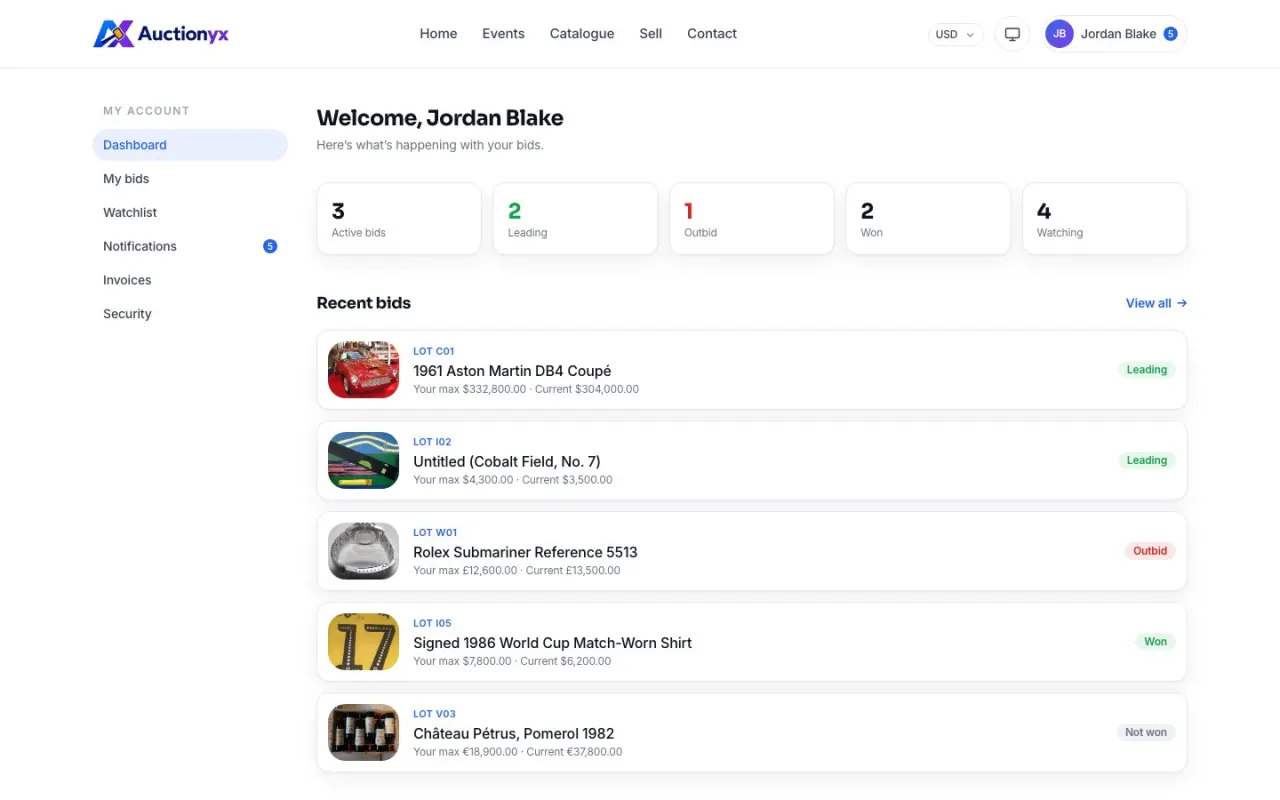
A home for every bidder
Everything a registered bidder needs after they place their first bid.
- Register, sign in, password reset and e-mail verification
- Optional two-factor (TOTP) sign-in
- My bids, grouped by leading, outbid, won and lost
- Watchlist and a notifications inbox
- Invoices with buyer’s premium, tax and a pay button
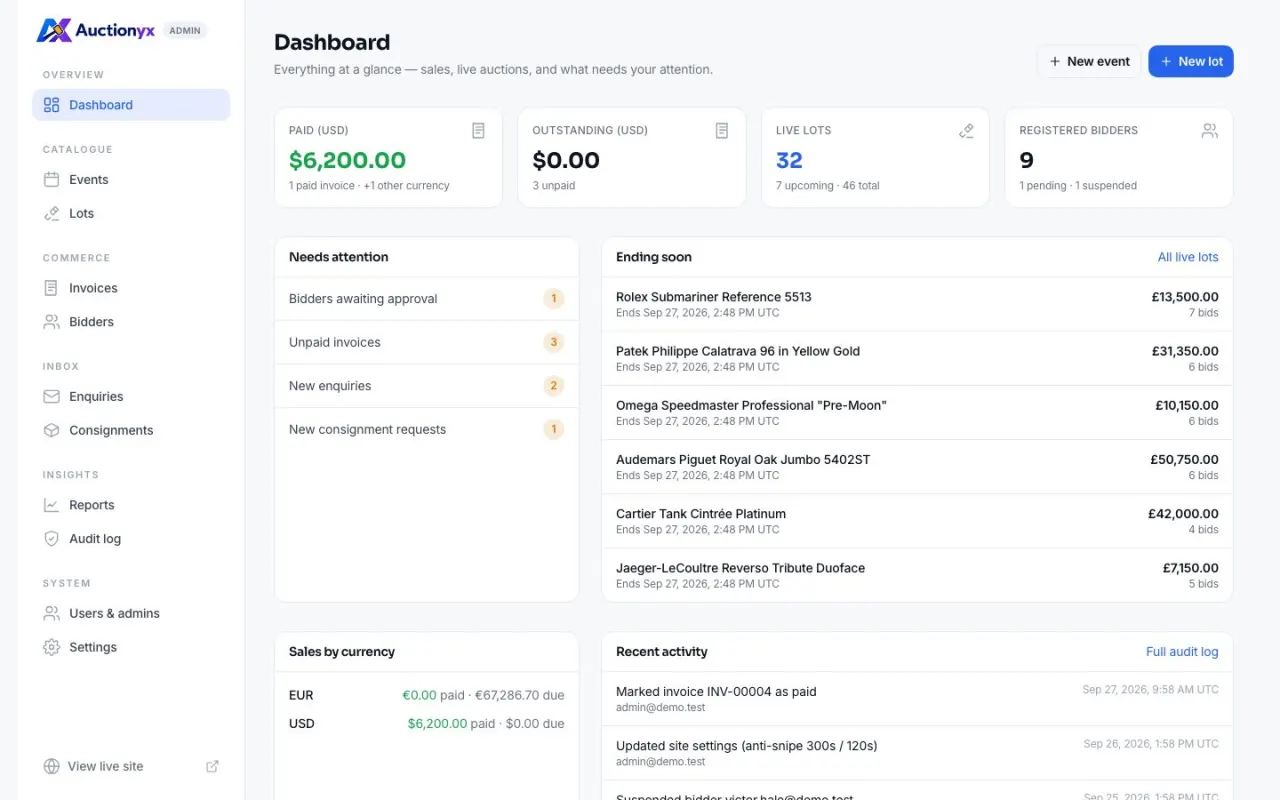
Run the whole saleroom
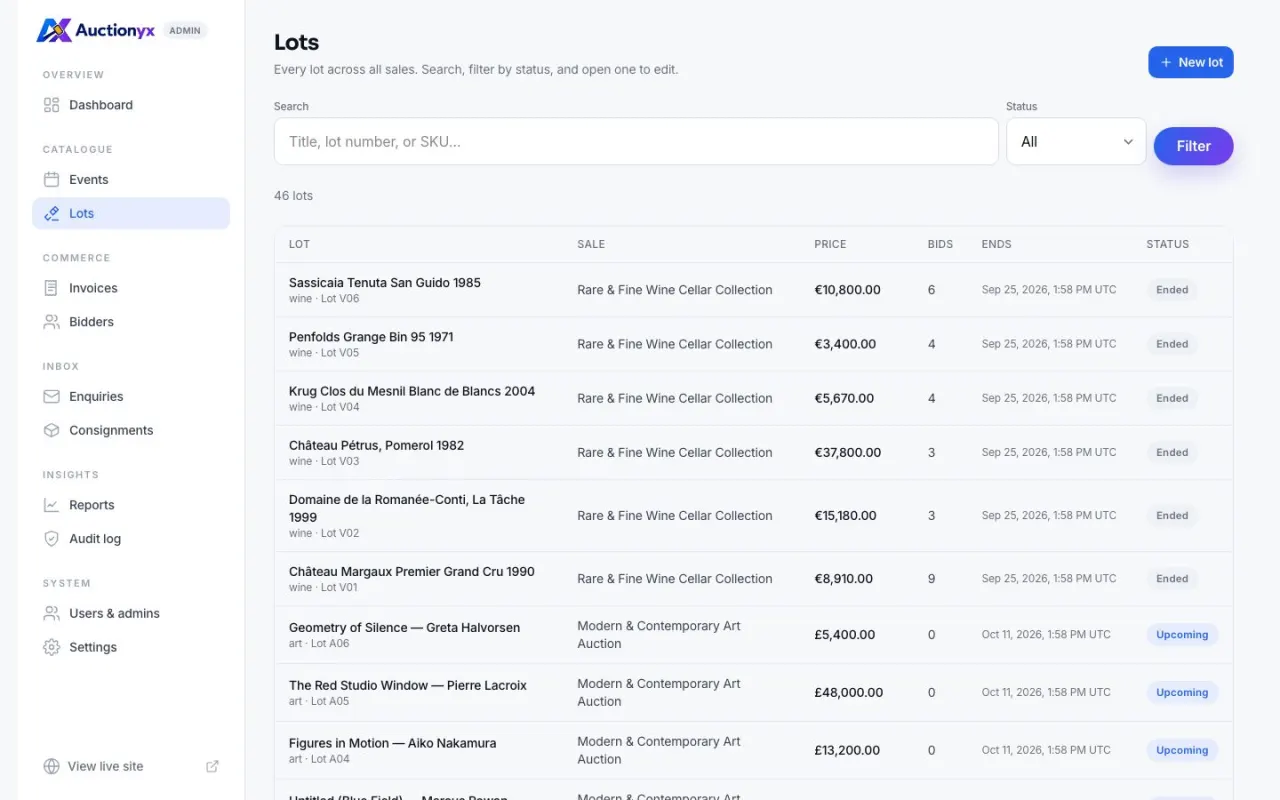
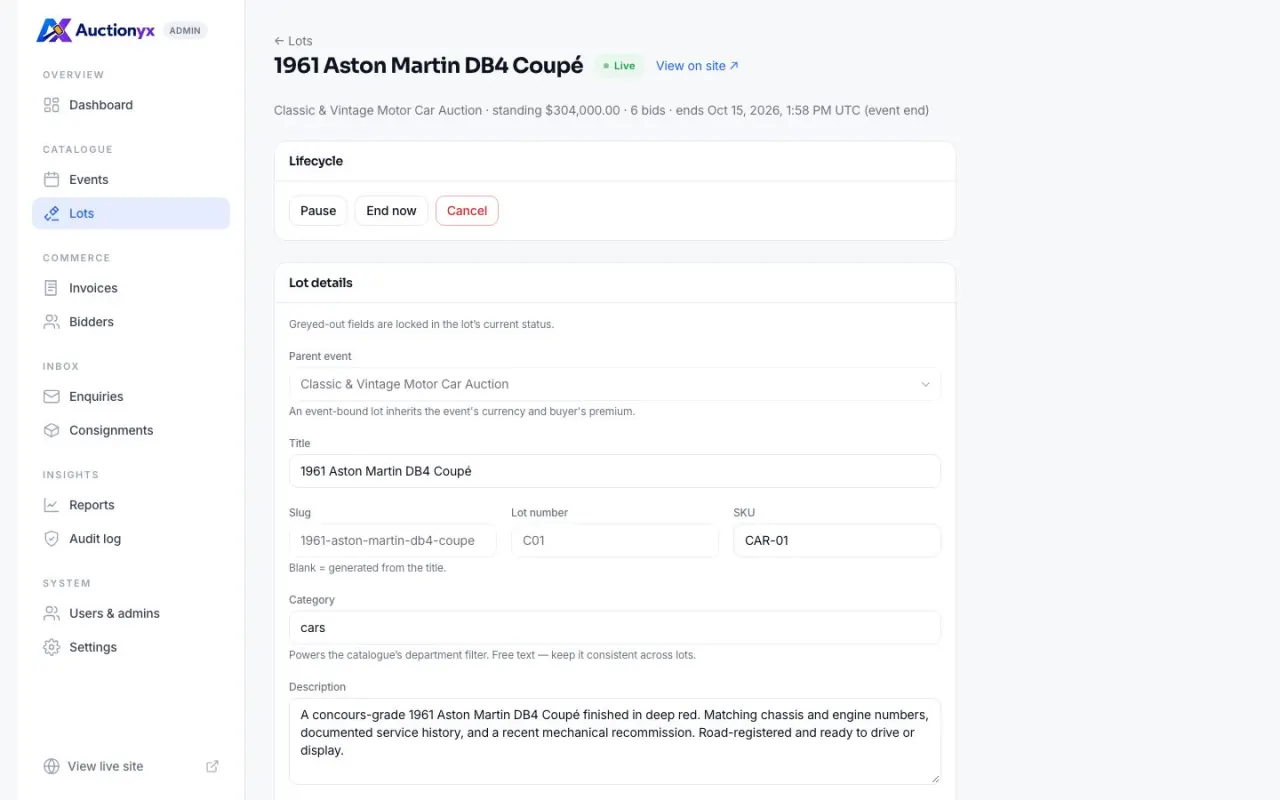
A real back office, not a settings page: events, lots, people, money and records.
- KPIs, a “needs attention” queue, lots ending soon, recent activity
- Events and lots with lifecycle controls and image galleries
- Bidders: approve, suspend, set bid limits, grant admin roles
- Invoices, enquiries, consignments and a full audit log
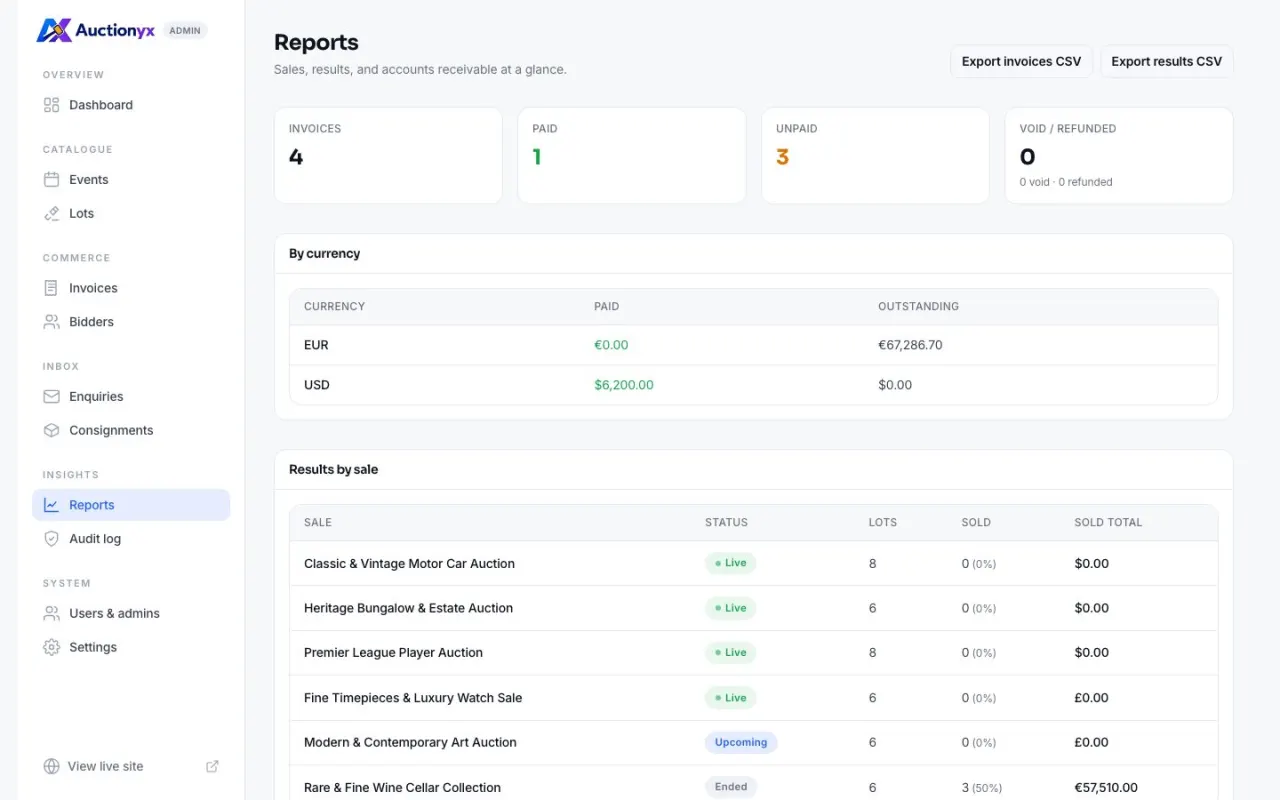
- Sales reports with CSV export, and site settings
The bidding engine
Bidding that behaves like a real saleroom
Bidders set a private maximum and the system bids for them, one step at a time, only as high as it has to. Here is exactly what happens.
Current price
$105
Ben leads. The price went only one step past Ana’s maximum.
-
1
Ana bids $60, with a private maximum of $100
The price is $60. Nobody else can see her $100.
-
2
Ben bids $70, maximum $90
Ana’s maximum is higher, so her proxy bids back automatically at $95, one step past Ben. Ana still leads.
-
3
Ben comes back: $100, maximum $150
Ben now beats Ana’s $100, so the price becomes $105, not $150. Ana gets a “you’ve been outbid” notification.
-
Anti-snipe soft close
A bid in the last five minutes pushes the end time out to two minutes from now, so nobody wins by bidding in the final second. Both times are editable in settings.
-
Reserve prices stay secret
The public sees only “reserve met” or “not met”, never the amount. When a bidder’s maximum covers the reserve, the price rises to meet it, as it does on eBay.
-
A double-click never bids twice
Every bid carries a request ID. A retry places nothing new, and a changed bid under the same ID is refused.
-
Live, and honest about time
The countdown is synced to server time, the panel refreshes on its own, and bidders see “You’re leading” or “You’ve been outbid” at a glance.
These rules run for real in the built-in backend, inside database transactions, and in
the demo data so you can try them first. They are also written up in
docs/spec/, with a table of worked examples, for anyone who connects
their own backend.
Feature list
Built in, not bolted on
The details that usually get cut from a template are the ones an auction site lives on.
-
No hard-coded content
Site name, menus, homepage sections and legal pages are edited in the admin dashboard, not in React files.
-
Watchlist
Bidders follow lots and get told before they end.
-
Invoices
Hammer, buyer’s premium and tax, exact to the cent. Paid by card through Stripe, or marked paid by hand.
-
Two-factor sign-in
Optional TOTP, e-mail verification and password reset.
-
Notifications
Outbid, won and watched-lot alerts in an inbox and by e-mail.
-
Consignments
“Sell with us” requests land in the admin inbox.
-
SEO ready
Metadata, Open Graph, sitemap, robots.txt and Product structured data.
-
Safe to launch
The admin dashboard lists anything still missing before launch — demo accounts, e-mail, the scheduler, image storage — and a production server never serves the demo data by accident.
-
Light, dark, system
Both themes designed, not inverted.
-
Accessible
Keyboard and screen-reader friendly markup throughout.
Backend included
Demo data today. Real auctions with one line.
Every piece of data flows through one typed API client. Out of the box it answers from
the built-in demo data. Set DATABASE_URL and the built-in backend runs
your auctions on PostgreSQL — same site, same screens.
# Nothing to set. The demo data answers.
DATABASE_URL=
# Your PostgreSQL. The built-in backend answers.
DATABASE_URL=postgres://…/auctionyx-
Bids you can trust with money
Every bid runs in one database transaction that locks the lot. A double-click is recorded once, and prices are exact decimals, never floating point.
-
Closes on time, every time
Sales open and close by themselves. Winners are picked only when the reserve is met, then invoiced and e-mailed — never twice, even on several servers.
-
Or bring your own backend
Prefer Laravel, Django or Go? Set
API_BASE_URLinstead. Every endpoint is documented, and a wrong response names the field that is wrong.
Screens
Captured from the template as it ships
The real template running on its own demo data. Nothing here is a mock-up, and you can open every one of these pages in the live demo.
Phone first
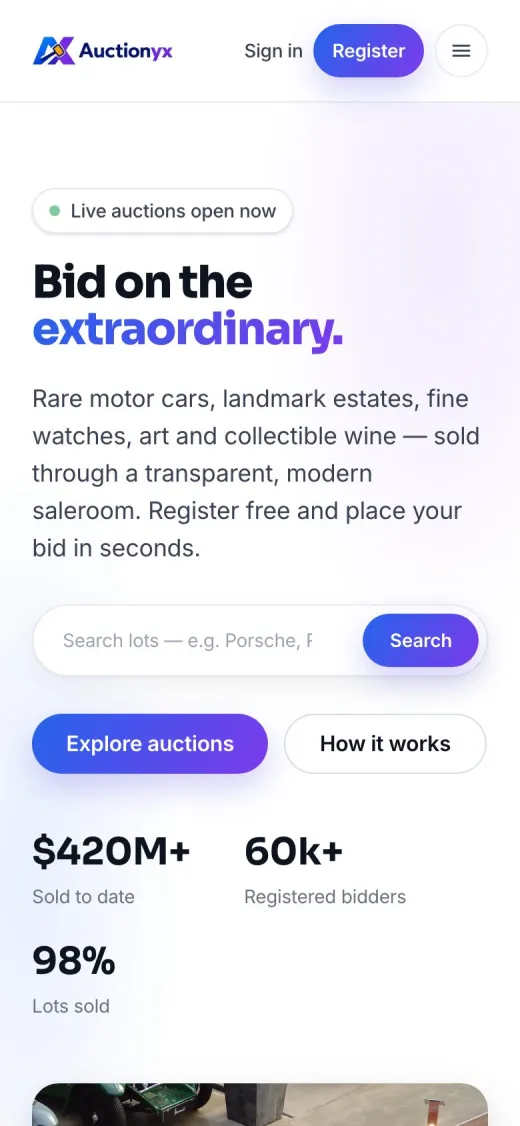
Most bids arrive from a phone
Every screen is designed for a thumb as well as a mouse, from the catalogue to the admin tables. It holds up down to a 320-pixel screen with no sideways scrolling.
- Bid panel and countdown stay readable on small screens
- Touch-sized controls and a proper mobile menu
- Fast: pages are rendered on the server
Stack & quality
A modern stack, engineered to last
The same checks we run before a release ship with the template, so your team can keep running them.
- Next.js 15App Router
- React 19Server Components
- TypeScriptstrict mode
- Tailwind CSS v4design tokens
- PostgreSQLDrizzle ORM
- Stripecard payments
- Zodruntime contracts
- Vitestunit & contract tests
- Playwrightend-to-end tests
- GitHub ActionsCI workflow
Bundle budget
A check fails the build when page JavaScript grows past its limit.
Secret scan
The client bundle is scanned so a server key can never ship to browsers.
Three kinds of docs
An offline HTML guide for site owners, developer and backend guides, and the bidding rules spec.
Quick start
Running in two commands
No database and no .env file needed to see everything working. Sign in
with a demo account and explore both sides, locally or on the live demo. Ready for
real bids? Add DATABASE_URL, then run pnpm db:setup and
pnpm admin:create.
- Admin
admin@demo.test- Bidder
bidder@demo.test- Password
demo1234
The public demo resets every six hours. Accounts and site settings are locked; bidding, watching and catalogue editing all work.
Requires Node.js 20+ and pnpm 9, plus PostgreSQL for real auctions. Deploys to Vercel, a VPS or Docker.
$ pnpm install
Packages installed ✓
$ pnpm dev
▲ Next.js 15  ready on http://localhost:3000
Demo API loaded · auctions live ✓
Pricing
Choose your plan
Full source code with the backend included. Sold directly by WaaFaa — pay monthly, yearly, or once for life.
Sandbox mode — test payments only. Checkout uses Freemius test
cards and takes no money. Switch FREEMIUS_SANDBOX off before this page
goes live.
-
Single site
For your own auction house.
$9/month $29/year $99one payment
Buy for 1 site -
5 sites
For agencies building sites for clients.
$19/month $49/year $299one payment
Buy for 5 sites -
Unlimited sites
For studios with many auction clients.
$49/month $149/year $499one payment
Buy unlimited
Compare plans and see everything included · Prices in US dollars; any sales tax or VAT is added at checkout. 7-day money-back guarantee (terms at checkout). Secure checkout and licence delivery by Freemius.
Every plan includes
Full source code, backend included
Public site, bidder account, admin dashboard, the PostgreSQL backend (payments, e-mail, uploads, scheduler), demo data, API contract, bidding spec and documentation. Only need the front end for a backend you already have? A front-end-only edition is also available — ask us.
You may
- Run as many production auction websites as your plan covers, yours or your clients’
- Modify the code, use the built-in backend or connect your own
- Host it anywhere you control
You may not
- Resell or share the source as a template or starter kit
- Publish the source in a public repository
Support by email
Help with installation (database set-up included) and bug fixes, within 1–2 business days, Monday to Friday, Bangladesh time (GMT+6).
Updates
Included while a monthly or yearly plan is active, and for good with lifetime. Your websites keep working either way.
Not part of support
Custom features, server administration and design work. Those are projects, not support tickets.
Questions
Frequently asked questions
Does it include a backend or database?
Yes. The backend is built into the same Next.js app. Give it a PostgreSQL database and it stores accounts, sales, lots, bids, invoices and your pages; opens and closes sales on time; picks winners; sends e-mail; takes card payments through Stripe; and stores uploaded photos. The database itself is yours — a free managed one such as Neon or Supabase is enough to start.
Can I use my own backend instead?
Yes. Set API_BASE_URL and the site talks to any backend that speaks the
documented REST API: Node, Laravel, Django, Rails, Go, or even WordPress. When a
response does not match the contract, it tells you exactly which field is wrong.
Can I take card payments?
Yes, with your own Stripe account. Add your Stripe keys and unpaid invoices get a Pay now button; payments are confirmed by a signed webhook, and refunds go back through Stripe. Without Stripe, buyers pay offline and you mark invoices paid.
Do I need a developer?
To install it, you need someone comfortable running a few terminal commands and setting environment variables. The offline guide walks through every step, and the admin dashboard lists anything still missing before launch. After that, sales, lots, bidders, invoices, pages, menus and settings are all run from the admin dashboard.
Can I host it on shared PHP hosting?
No. Auctionyx is a Next.js application and needs a Node.js 20+ host: Vercel, Netlify, Render, a VPS with pm2, or Docker. The developer docs include a deployment guide for each.
Can I build a site for a client?
Yes. Each plan covers a number of production websites — 1, 5 or unlimited — whether they are yours or your clients’. You may not resell the source code itself as a template or starter kit.
Can I use the demo photos on my live site?
They are there to show the design. The photos come from Wikimedia Commons under
their own licences, listed with credits in public/images/CREDITS.md.
Replace them with your own images before you launch; pnpm db:reset
clears the demo data. If you keep any photo, keep its credit.
How do I change the name, colours and content?
Site name, menus, homepage sections and legal pages are edited in the admin dashboard. Colours, fonts and the logo are design tokens and files in the project. The offline guide walks through each step.
Is the demo safe to put online?
Yes, when you ask for it on purpose. A production server refuses to serve demo data
unless API_MODE=mock is set. A public demo also locks the demo accounts
and settings, masks what visitors type in the admin, and resets its data every six
hours. On a real site, the dashboard warns you while the demo accounts still exist,
and one command removes them.
What do I need to know to customise it?
For content and colours, very little. The offline guide covers it. For deeper changes you should be comfortable with React, Next.js and TypeScript. The code keeps one simple rule: pages never fetch data themselves, they call a service, so every change has one obvious place to go.

Skip months of building.
Start with an auction platform that is already finished, front end and back end, and spend your time on your sales.