
User guide / How saving works
How saving works
AI Chat Vault saves your chats by itself. You do not press anything.
Which AI sites
It works with ChatGPT, Claude, Gemini, Perplexity and Grok. You can switch any of them off in Settings, then Sites.
See it work
Open one of those AI sites and ask a question, as you always do.
Wait for the answer to finish. The chat is saved by itself. A check mark shows on the toolbar icon.
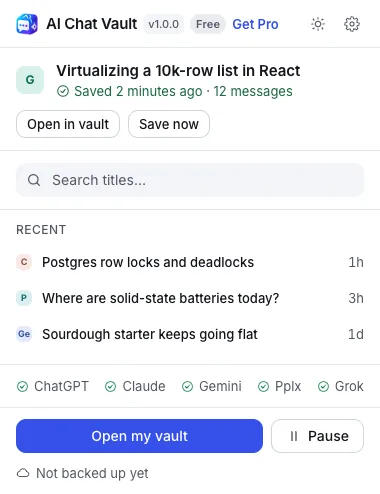
Click the toolbar icon, then open your vault. The chat is in All chats.
What is saved
- Your questions and the AI answers, in order.
- Code, tables and lists, as they looked.
- The title, the date and which AI it came from.
- The pictures: the ones you upload and the ones the AI makes.
Pictures
AI Chat Vault keeps its own copy of the pictures in your chats, on your computer only. They stay even after the AI site removes them. Click a picture in a saved chat to see it bigger.
- Turn this on or off in Settings, then Capture, under Save images from chats. It is on by default.
- Some pictures come from the AI sites' own picture servers. To save those, Chrome asks you once (Allow image access). It only lets the vault read those pictures to keep your copy. If you say no, pictures that the site hands over directly are still saved.
- A picture that could not be saved shows a note. Open that chat on its site while saving is on and the picture is added.
- Pictures count towards the room the vault uses. You can see it under Settings, then Storage.
- Your HTML export includes the pictures. A JSON export and a backup include them too, so a restore brings them back.
What is not saved
- Chats in a private (incognito) window, unless you turn that on in Settings.
- Any chat you mark with Stop saving this chat.
- Anything while saving is paused. You can pause from the toolbar icon for an hour, until tomorrow, or until you resume.
- Your passwords, your account details, or anything outside the chat.
Some sites only send the part of a long chat that is on screen. Gemini does this. Open the chat on its site and scroll to the top once. AI Chat Vault then saves all of it. Nothing is lost by waiting.