
User guide / If something goes wrong
If something goes wrong
Your saved chats are safe. Most problems are fixed in a minute.
My chat did not save
Go through this list, from the top. Stop when it works.
- Click the toolbar icon. If it says saving is paused, turn saving back on.
- Open Settings, then Sites. Check that the site you use is switched on.
- Make sure you are signed in to the AI site. AI Chat Vault reads the chat you can see. It cannot save if you are signed out.
- Are you in a private (incognito) window? Those are not saved unless you allow it in Settings.
- If Chrome asked for permission for the site, click Allow. You can also open Sites in Settings to grant it.
- Reload the AI site. Then send a short message and wait for the answer to finish.
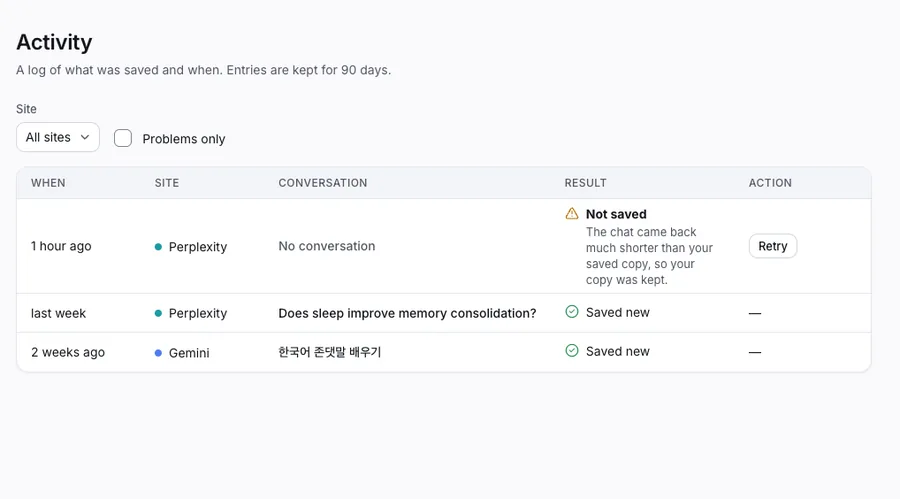
- Open Activity in the left menu. It lists every save and any problem, with a plain explanation of what to do.
A site shows "Capture issue"
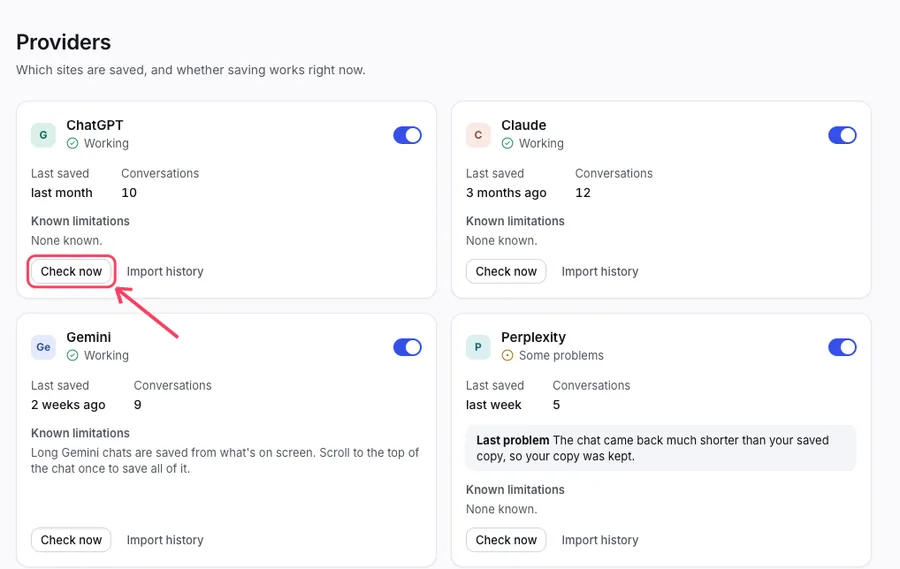
The AI site changed how its pages work, and saving from it needs an update. Your saved chats are safe. Open Sites in the left menu, then click Check now for that site. If it stays broken for more than a day, write to us.
Search finds nothing
Search may still be catching up after a big import. Wait a minute and try again. In Settings, then Storage, you can rebuild the search list.
A chat has a lock
That is the Free plan. See Free and Pro. Nothing was deleted.
The vault will not open: the Recovery screen
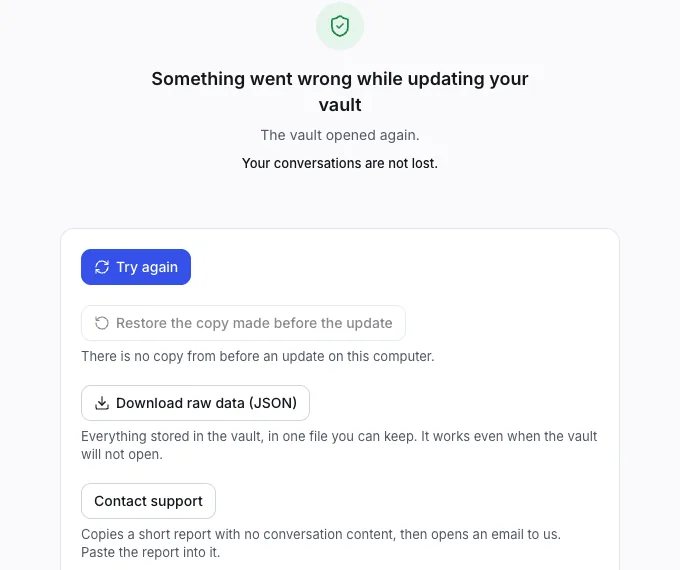
After an update, a screen may say Something went wrong while updating your vault. Your chats are not lost. Use the buttons in this order:
Click Try again.
If that does not work, click Restore the copy made before the update. Chats saved after that copy are not in it.
Or download your data as one file. It works even when the vault will not open.
Still stuck? Click Copy report and write an email. Paste the report into the email. It has no chat content.
Reinstalling without losing data
If you remove the extension, Chrome deletes the vault with it. To keep your chats, make a backup file first (see Backup and restore). Then reinstall and click Restore from file. Never removed it and just want a refresh? You do not need to reinstall. Reloading the AI site is enough.